
Proven UniFi NVR Storage Sizing Guide for Commercial Deployments | 2M Technology
Updated May 2026Calculate exact NVR storage requirements for Texas commercial UniFi Protect deployments — resolution, retention, bitrate, RAID overhead, and HDD selection
Get a Free Deployment Assessment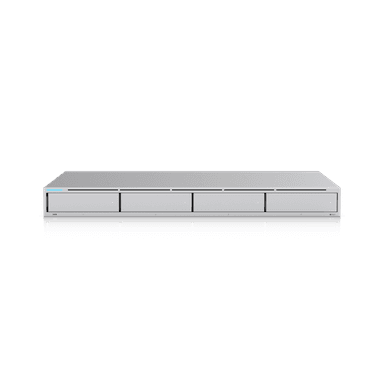
UniFi NVR storage sizing commercial deployments requires calculating per-camera bitrate, camera count, retention days, and RAID overhead before selecting NVR hardware. Undercalculating results in Protect automatically reducing frame rate or resolution as storage fills. Overcalculating wastes capital on unused drive bays. 2M Technology provides storage calculations as part of every Texas commercial UniFi Protect design engagement.
| Formula | Cameras x Bitrate (Mbps) x 86400 sec / 8 / compression |
| 4K (H.265+) | Approx 70-90 GB per camera per day |
| 2K (H.265+) | Approx 20-30 GB per camera per day |
| 1080p (H.265+) | Approx 8-15 GB per camera per day |
| RAID 5 Overhead | 1 drive capacity deducted from raw total |
| RAID 6 Overhead | 2 drive capacities deducted from raw total |
UniFi NVR storage sizing commercial formula accuracy determines whether a Texas commercial project has adequate storage on day one or faces an expensive NVR upgrade six months after deployment.
External References: Storage bitrate calculations derived from Ubiquiti UniFi Camera Tech Specs and Seagate IronWolf NAS Drive specifications. Drive selection recommendations follow NVR manufacturer guidelines for 24/7 write cycle ratings.
Storage Calculation Formula for UniFi Protect
UniFi NVR storage sizing commercial formula: (Camera Count x Daily GB per Camera x Retention Days) / RAID Efficiency = Required Raw Storage. RAID 5 efficiency = (N-1)/N drives. RAID 6 efficiency = (N-2)/N drives. For a 20-camera deployment at 2K H.265+ (25GB/day) with 30-day retention and RAID 5 on a 4-bay UNVR: 20 x 25 x 30 = 15,000GB = 15TB usable needed. RAID 5 on 4x14TB = 42TB usable — this deployment fits comfortably.
UniFi Protect’s storage consumption is affected by the recording mode. Continuous recording at full resolution generates the maximum daily storage figure. Motion-triggered recording (with pre-roll buffer) reduces storage by 40-70% in commercial environments with typical business-hours activity. 2M Technology recommends designing for continuous recording storage requirements and treating motion-only savings as a buffer rather than a design assumption.
The H.265+ Smart Codec in UniFi Protect dynamically adjusts bitrate based on scene activity — reducing bitrate on static scenes and increasing on high-motion events. This provides real-world storage savings of 30-50% versus fixed-bitrate H.264. The estimates below assume H.265+ Smart Codec is enabled (default in UniFi Protect). See the Enterprise NVR guide for large-deployment storage architecture.
Accurate UniFi NVR storage sizing commercial calculations begin with knowing the per-camera storage consumption by resolution — the values below are from measured UniFi Protect deployments at Texas commercial sites.
Storage Consumption by Camera Resolution
| Camera Resolution | GB per Camera per Day | TB per Camera per 30 Days | Camera Examples |
|---|---|---|---|
| 4K / 8MP (H.265+) | 70-90 GB | 2.1-2.7 TB | AI 360, AI Turret, AI Pro |
| 2K / 5MP (H.265+) | 20-30 GB | 0.6-0.9 TB | G5 Dome, G5 Bullet |
| 1080p / 2MP (H.265+) | 8-15 GB | 0.24-0.45 TB | G4 Bullet, older models |
| 4MP PTZ (H.265+) | 30-60 GB | 0.9-1.8 TB | G5 PTZ (varies by zoom and activity) |
These figures assume 24/7 continuous recording with H.265+ Smart Codec enabled. Motion-only recording in a typical Texas commercial environment reduces consumption by approximately 50%, though 2M Technology designs to the continuous recording figure for worst-case planning.
Selecting the right NVR model based on UniFi NVR storage sizing commercial calculations prevents both under-provisioning (storage fills before retention period) and over-provisioning (spending capital on unused bays).
Selecting the Right UniFi NVR for Your Deployment
| NVR Model | Max Cameras | HDD Bays | Max Raw Storage | Uplinks |
|---|---|---|---|---|
| UNVR | 15 cameras | 4 bays | 28TB (4x7TB) | 1GbE |
| UNVR Pro | 50 cameras | 7 bays | 56TB (7x8TB, expandable) | Dual GbE |
| Enterprise NVR | 128 cameras | 16 bays | 320TB (16x20TB) | Dual 10GbE SFP+ |
| UDM-Pro (limited) | 7 cameras | 1 bay (3.5-inch) | 20TB | 1GbE LAN |
UniFi NVR storage sizing commercial RAID selection determines both storage efficiency and data protection level — the right choice depends on the regulatory and operational requirements of each Texas site.
RAID Configuration for Commercial Deployments
UniFi NVR storage sizing commercial deployments must account for RAID overhead before calculating final usable capacity. RAID 5 removes 1 drive equivalent from the total raw capacity. RAID 6 removes 2 drive equivalents. RAID 1 (mirroring) uses 50% of raw capacity. For a UNVR with 4 x 14TB drives (56TB raw): RAID 5 provides 42TB usable; RAID 6 provides 28TB usable; RAID 0 provides 56TB usable with no protection.
2M Technology recommends RAID 5 for standard Texas commercial deployments (retail, office, light industrial) where a brief recording gap during a drive replacement is acceptable. RAID 6 is recommended for Texas healthcare, government, and enterprise sites where no recording gap can be tolerated during a drive failure event. RAID 0 (no protection) is not recommended for any commercial deployment where footage has legal or operational value.
UniFi NVR storage sizing commercial retention requirements vary significantly by Texas industry — the table below covers the most common requirements 2M Technology encounters in North Texas commercial projects.
Retention Requirements by Texas Industry
| Industry | Minimum Retention | 2M Technology Recommendation |
|---|---|---|
| Texas Retail (general) | 30 days (insurance standard) | 45-60 days for high-shrink stores |
| Texas Office Buildings | 30 days | 30-60 days depending on lease terms |
| Texas Healthcare (HIPAA) | 90 days minimum per most policies | 90-180 days for clinical areas |
| Texas Schools | 30-60 days depending on district policy | 60 days with incident override hold |
| Texas Government/Municipal | 90 days minimum | 180 days for public areas |
| Texas Banking/Financial | 90-180 days | 180 days for vault and teller areas |
| Texas Industrial/Manufacturing | 30-60 days | 60 days for safety incident documentation |
Designing to Average Bitrate Instead of Peak
Scene complexity varies significantly across a day — a busy Texas retail parking lot at noon generates 2-3x the bitrate of the same lot at 3am. Designing storage to average bitrate results in Protect throttling recording quality during peak periods. 2M Technology designs to peak-hour bitrate, treating off-hours low-bitrate periods as storage buffer.
Not Adding 20% Buffer to Calculated Storage
Calculated storage figures are estimates based on typical scene activity. Unusual events (incidents, weather events, construction nearby) increase bitrate significantly. 2M Technology adds 20% to all storage calculations as a safety buffer, ensuring the NVR does not reduce recording quality when atypical activity occurs.
Calculating Raw Storage Without RAID Overhead
A common mistake is ordering drives based on the calculated usable storage requirement without accounting for RAID overhead. Ordering 30TB of drives for a 30TB usable requirement with RAID 5 results in 22.5TB usable on a 4-bay NVR — leaving the deployment 25% short of target.
UniFi NVR storage sizing commercial questions from Texas IT and security managers — answered with specific calculations from 2M Technology deployment experience.
Frequently Asked Questions
What is the storage formula for UniFi NVR commercial deployments?
Storage required (TB) = Camera Count x Daily GB per camera x Retention Days / 1000 / RAID efficiency. For 15 cameras at 2K H.265+ (25GB/day), 30-day retention, RAID 5 on a 4-bay UNVR (75% RAID efficiency): 15 x 25 x 30 / 1000 / 0.75 = 15TB usable required. A UNVR with 4 x 6TB drives (18TB usable after RAID 5) covers this scenario with 3TB buffer. 2M Technology runs this calculation for every Texas project.
How does motion-only recording affect storage requirements?
Motion-only recording with UniFi Protect reduces storage consumption by 40-70% in typical Texas commercial environments compared to continuous recording. The exact reduction depends on scene activity — a busy retail entrance may only reduce by 20%, while an after-hours server room may reduce by 90%. 2M Technology recommends designing for continuous recording requirements and treating motion-only mode as a buffer rather than a storage reduction strategy.
Which hard drives should I use in a UniFi NVR?
Ubiquiti recommends surveillance-rated 24/7 NAS or NVR drives for all UniFi NVR models. 2M Technology specifies WD Purple Pro or WD Red Pro (NAS-rated) and Seagate IronWolf Pro for Texas commercial deployments. These drives are rated for 24/7 write cycles, carry 3-5 year warranties, and support RV sensors that reduce vibration-induced errors in multi-drive arrays. Standard desktop drives (WD Blue, Seagate Barracuda) fail significantly faster in NVR environments.
How do I calculate storage for a mixed-resolution camera deployment?
For mixed deployments, calculate each camera type separately and sum the results. Example: 10 x AI Turret (4K, 80GB/day) + 20 x G5 Dome (2K, 25GB/day) for 30 days = (10 x 80 x 30) + (20 x 25 x 30) = 24,000 + 15,000 = 39,000GB = 39TB usable required. Add 20% buffer = 47TB usable. With RAID 6 on a 7-bay UNVR Pro (5 drives usable of 7): 5 x 12TB = 60TB raw x 5/7 = 43TB usable — slightly short. Upgrade to 14TB drives: 5 x 14TB = 70TB x 5/7 = 50TB usable — adequate.
Does 2M Technology provide storage sizing as part of the project design?
Yes. Storage sizing calculation is included in every Texas commercial UniFi Protect design engagement. 2M Technology documents camera count, resolution settings, retention requirements, RAID configuration, and exact drive capacity recommendations in a project design document delivered before hardware procurement. This eliminates the under-provisioning and over-provisioning errors common in self-specified NVR deployments.
Related Deployment Guides
128-camera NVR for large Texas enterprise facilities
4-bay NVR for small-to-mid Texas commercial sites
50-camera NVR for growing Texas commercial deployments
Rack room infrastructure for Texas NVR deployments
← Back to UniFi Infrastructure Deployment Center
Deploy UniFi Protect NVR for Your Texas Facility
2M Technology provides end-to-end UniFi NVR storage sizing commercial services — site survey, storage sizing, NVR installation, and ongoing support across Dallas-Fort Worth and all of Texas.

