
UniFi Infrastructure Deployment Center
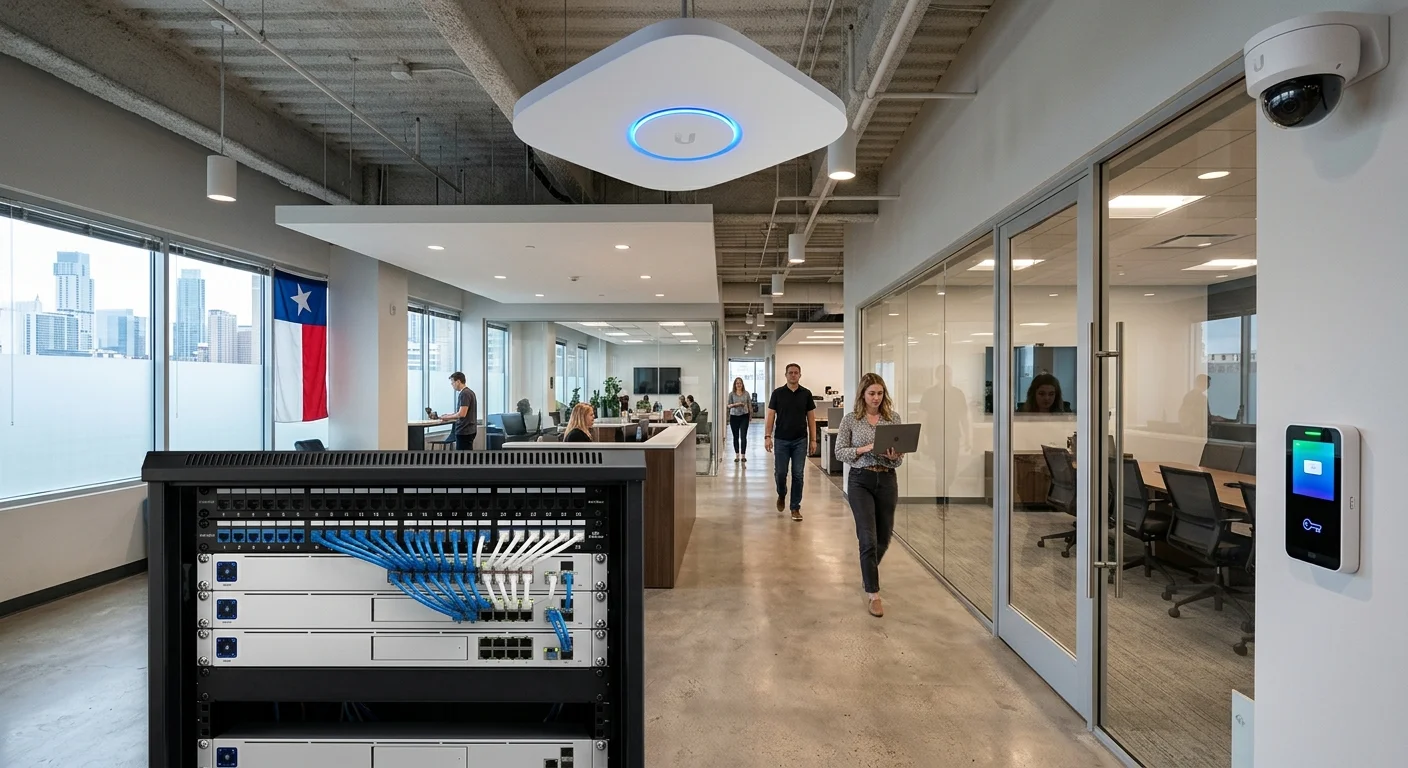
UniFi Camera Deployment Guides
Every UniFi infrastructure deployment begins with the camera system — the most visible and operationally critical layer. 2M Technology engineers each installation around facility layout, lighting, field-of-view requirements, PoE budgets, and retention compliance. The guides below cover each UniFi camera platform from a commercial infrastructure perspective.
UniFi AI Pro
4K AI bullet camera with face recognition and LPR. Built for high-security perimeters, loading docks, and critical infrastructure where identification data matters.
Primary use: Industrial perimeters, warehouses, critical infrastructure
UniFi G5 Bullet
Cost-effective 2K outdoor bullet camera on standard 802.3af PoE. Ideal for perimeter and parking coverage across facilities where camera density is a budget consideration.
Primary use: Parking lots, building perimeters, loading areas
UniFi G5 Dome
Indoor/outdoor 2K dome with 102° horizontal FOV and two-way audio. Standard for lobbies, corridors, and retail floor coverage where vandal resistance and aesthetics matter.
Primary use: Lobbies, hallways, retail, healthcare corridors
UniFi AI 360
Full 360° fisheye camera eliminating coverage gaps in open floor plans. Replaces 3–4 standard cameras in warehouses, atriums, and distribution floors where ceiling mounts are practical.
Primary use: Warehouses, atriums, open-plan manufacturing
UniFi PTZ Cameras
G5 PTZ (2K, 2x optical) and G6 PTZ (4K, 10x hybrid zoom, LPR). Active tracking across large areas — campuses, parking structures, and perimeters where a single pan-tilt-zoom camera replaces multiple fixed cameras.
Primary use: Large campuses, parking structures, open yards
UniFi Turret Cameras
AI Turret (4K, face recognition, LPR, PoE+) and G6 Turret (4K, IP66, PoE). Compact vandal-resistant turrets for discreet fixed-point coverage in offices, retail, schools, and hospitality.
Primary use: Offices, retail, schools, hospitality
UniFi NVR & Storage Architecture
Storage architecture is the most under-planned element of any UniFi infrastructure deployment for commercial surveillance. Drive count, resolution, retention period, and RAID configuration must be sized before installation — not after. These guides cover every UniFi NVR platform and the storage calculations behind each deployment.
UNVR (4-Bay)
1U rack NVR with four drive bays. Supports up to 60 HD, 30 2K, or 18 4K cameras. Right-sized for SMB to mid-size commercial facilities needing centralized, on-premises recording.
Capacity: 60 HD / 30 2K / 18 4K
UNVR Pro (7-Bay)
Expanded 7-bay NVR for medium-to-large commercial deployments. Handles 100+ cameras with headroom for AI analytics processing. Includes 10G SFP+ uplink for high-throughput environments.
Capacity: 100 HD / 50 2K / 30 4K
Enterprise NVR (ENVR)
16-bay 3U enterprise NVR with redundant hot-swap PSU and dual 10G SFP+ uplinks. Supports 210 cameras. Built for hospital campuses, multi-building industrial sites, and enterprise security operations.
Capacity: 210 HD / 140 2K / 70 4K
NVR Storage Sizing Calculator Guide
Calculate storage requirements from first principles: camera count, resolution, frame rate, retention, and recording mode. Includes bitrate reference tables, RAID capacity impact, and drive replacement cycles.
Topics: Bitrate, retention, RAID, drive selection
UniFi Network & Switching Guides
A reliable switching and routing foundation is what separates a successful UniFi infrastructure deployment from one that requires re-work within 18 months. These guides cover PoE switch selection, aggregation design, Wi-Fi deployment, and gateway configuration for commercial facilities running mixed UniFi infrastructure.
Enterprise Switch Deployment
UniFi Enterprise switches with PoE++ (up to 90W per port) for IDF/MDF closets. Covers LACP uplinks, storm control, RSTP, and VLAN trunk configuration for mixed camera and AP deployments.
Aggregation Switch Guide
Fiber and 10G aggregation for multi-building and multi-floor deployments. Trunk design, inter-VLAN routing, and uplink redundancy for camera and access control traffic at scale.
Gateway / Dream Machine Guide
UniFi gateway selection and commissioning for commercial sites. Site-to-site VPN, multi-WAN failover, IDS/IPS, traffic shaping, and SD-WAN for distributed enterprise environments.
Wi-Fi 7 AP Commercial Deployment
High-density enterprise 802.11be Wi-Fi for warehouses, healthcare, and hospitality. Channel planning, BSS coloring, roaming, SSID segmentation, and guest isolation for multi-environment facilities.
UniFi Access Control Guides
UniFi Access integrates physical door control with the UniFi Protect and UniFi Network platform — enabling unified management of cameras, doors, and network from a single interface. These guides cover commercial installation of hubs, readers, and intercom systems across office, industrial, and healthcare environments.
Access Hub Installation
Door controller wiring for electric strikes, magnetic locks, and REX sensors. Covers fail-safe vs. fail-secure configuration, door hardware selection, and schedule-based access policies.
Access Reader Deployment
NFC and mobile credential readers for controlled entry points, server rooms, and restricted zones. Covers reader placement, credential types, anti-passback, and multi-factor authentication configuration.
Intercom Deployment
Video intercom for gated facility entry, lobby visitor management, and loading dock access. Mobile app notifications, remote unlock, and camera-linked visitor identification workflows.
Industry Deployment Guides
Each commercial environment presents unique UniFi infrastructure deployment challenges — different camera types, network architectures, and compliance requirements. 2M Technology has deployed UniFi infrastructure across warehouses, hospitals, hotels, schools, and industrial plants throughout Texas. These industry guides address the real design constraints of each sector.
Warehouses & Distribution
High-bay coverage, dock doors, and yard monitoring. Addresses forklift interference with PoE runs, lighting variability, and the AI 360 vs. PTZ trade-off for large warehouse floor plans.
Healthcare Facilities
HIPAA-aware placement, network segmentation, and access control for hospitals and clinics. Nurse stations, pharmacy access, emergency department coverage, and medical-grade Wi-Fi requirements.
Hotels & Hospitality
Guest Wi-Fi segmentation, lobby and corridor camera placement, parking coverage, and PCI-DSS network isolation for payment systems in hotel and resort environments.
Schools & Campuses
K-12 and higher education surveillance for entry points, hallways, gymnasiums, and parking. Integration with visitor management and access control for Texas school security compliance.
Industrial Facilities
Cameras in harsh conditions: extreme temperatures, dust, vibration. IP66/IP67 requirements, conduit wiring, explosion-proof zones, and fiber runs for large plant footprints.
Oil & Gas Refineries
ATEX-rated cameras in hazardous locations, intrinsically safe equipment zones, perimeter surveillance, control room networking, and infrastructure design for energy sector facilities.
Storage, PoE, VLAN & Infrastructure Planning
The infrastructure decisions made before installation day are what define a successful UniFi infrastructure deployment — plan correctly and the system scales; skip the planning and it fails under load. These planning guides address the quantitative calculations and architecture choices that separate a solid deployment from a reactive one.
PoE Budget Planning
Calculate total PoE load for cameras, APs, and access readers. Understand 802.3af/at/bt standards, switch PoE budgets by model, and how to avoid brownout failures in dense deployments.
VLAN Design for Security Systems
Segment camera, management, guest, and access control traffic onto isolated VLANs. Covers inter-VLAN routing policy, UniFi firewall rules, and zero-trust camera isolation principles.
IDF/MDF Architecture
Structured cabling and switching hierarchy — MDF layout, IDF zoning per floor/zone, fiber backbone, controller placement, and UPS sizing for commercial and multi-floor facilities.
Fiber Backbone Planning
OM4 vs OS2 selection, strand count, SFP+ module compatibility, inter-building conduit routing, bandwidth planning for camera streams, and OTDR testing for multi-building campuses.
Warehouse Wi-Fi Design
AP density for metal-dense environments, channel planning, forklift roaming, WMS/barcode scanner connectivity, and SSID segmentation for distribution and logistics facilities.
Camera Placement for Warehouses
Coverage mapping for high-bay warehouses and distribution centers. Aisle coverage geometry, dock door angles, blind-spot elimination, and mounting height calculations by camera type.
Why Choose 2M Technology for UniFi Infrastructure Deployment in Texas
2M Technology is a commercial security infrastructure company serving facilities across Dallas-Fort Worth and broader Texas. We design and install UniFi systems for warehouses, healthcare facilities, hotels, schools, and industrial plants — not residential or small-office installs. Our UniFi infrastructure deployment process starts with a site walkthrough and coverage analysis. We design the camera layout, PoE network, NVR architecture, and VLAN structure as a unified system — then install and commission it to production standards with structured cabling and documented as-built drawings.
- UniFi Protect, UniFi Network, and UniFi Access integration design
- IDF/MDF structured cabling and fiber backbone planning
- PoE and power budgeting for mixed device deployments
- VLAN segmentation and firewall policy design
- Multi-site management for distributed enterprise clients
- Ongoing support and monitoring contracts available
- View official UniFi camera security lineup on ui.com ➚
Learn about our UniFi DFW deployment services → Dallas UniFi installations →
Frequently Asked Questions
What makes UniFi suitable for commercial deployments?
UniFi offers a unified platform for cameras, networking, and access control with enterprise-grade hardware, centralized management, and scalable architecture. Commercial deployments benefit from PoE++ switches, AI-powered camera analytics, and a single management interface across hundreds of devices. Unlike consumer systems, UniFi supports full VLAN segmentation, multi-site management, and structured cabling integration.
How many cameras can a single UniFi NVR support?
Camera capacity depends on NVR model and resolution. The 4-bay UNVR handles up to 60 HD or 18 4K cameras. The 7-bay UNVR Pro scales to approximately 100 HD or 30 4K cameras. The Enterprise NVR (ENVR) with 16 bays supports up to 210 HD or 70 4K cameras. Multi-NVR architectures are supported for larger facilities exceeding any single unit’s capacity.
Does UniFi require a cloud subscription for commercial use?
No. UniFi Protect and UniFi Network can be deployed entirely on-premises with no cloud subscription. A UniFi Cloud account is optional for remote management access. For facilities with strict data sovereignty requirements — healthcare, government, financial — fully local, air-gapped deployment is supported and is our standard recommendation.
What PoE standard do UniFi cameras require?
Requirements vary by model. Most standard cameras (G5 Bullet, G5 Dome, G6 Dome) require 802.3af PoE (15.4 W budget). Higher-performance models (AI Turret, AI Pro, PTZ cameras) require 802.3at PoE+ (30 W budget). The G6 PTZ draws up to 24.5 W on PoE+. Always calculate total switch PoE budget before finalizing a camera layout — our PoE budget planning guide covers this in detail.
Can UniFi cameras and access control share the same switch?
Yes, but VLAN segmentation is required for security and performance. Cameras belong on a dedicated camera VLAN with restricted outbound internet access. Access readers connect through the Access Hub, which communicates with the UniFi Access controller. Management traffic should be on a separate management VLAN. Our VLAN design guide covers the recommended architecture for mixed UniFi deployments.
Start Your UniFi Infrastructure Deployment with a Free Engineering Assessment
- ✓ Site survey & coverage design included
- ✓ PoE budget, fiber backbone & VLAN architecture
- ✓ NVR storage sizing & IDF/MDF layout
- ✓ No obligation — no charge for qualified commercial facilities
- (214) 988-4302
- •
- sales@2mtechnology.net
- •
- Grand Prairie, Texas 75050


