
Home › UniFi Deployment Center › UniFi Healthcare Deployment Guide
UniFi Deployment Guide for Healthcare Facilities
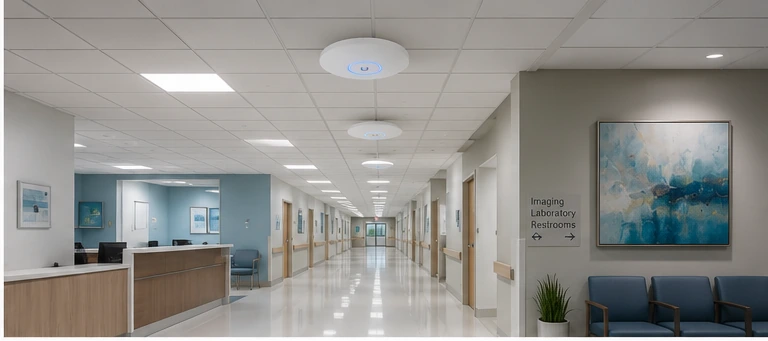
UniFi deployment healthcare integrates surveillance, clinical Wi-Fi, and access control within HIPAA-aware network architecture — this guide covers the engineering decisions specific to hospitals, clinics, and medical campuses in Texas.
UniFi deployment for healthcare facilities requires a design framework that integrates surveillance, clinical Wi-Fi, and access control while maintaining the network segmentation and privacy standards that HIPAA and healthcare operational requirements demand. 2M Technology specializes in UniFi deployment healthcare projects for hospitals, medical office buildings, urgent care clinics, and multi-building healthcare campuses across Texas. This guide covers the healthcare-specific design decisions that standard commercial deployments don’t address.
1. HIPAA & Compliance Considerations for UniFi Deployments
Important: This guide addresses network and physical infrastructure design considerations relevant to HIPAA-regulated environments. It does not constitute legal or compliance advice. Consult your facility’s compliance officer and legal counsel for specific HIPAA requirements applicable to your organization.
HIPAA compliance is the first design constraint in every UniFi deployment healthcare — camera placement, network segmentation, and cloud sync policies all follow from it. HIPAA’s Technical Safeguards (45 CFR §164.312) require covered entities to implement access controls, audit controls, transmission security, and integrity controls for electronic protected health information (ePHI). For UniFi deployments in healthcare environments, the relevant implications are:
- Network isolation: Camera VLANs must not have network paths to systems storing ePHI (EHR servers, PACS systems, billing databases). A compromised camera must not be a pivot point to clinical systems.
- On-premises recording only: UniFi Protect cloud sync should be disabled for healthcare deployments. All footage remains on the local NVR — no cloud upload of patient area video.
- Access logging: UniFi Access maintains detailed logs of all door access events — who accessed which door, at what time, with what credential. These logs support physical access audit requirements.
- Camera-free zones: Patient rooms, exam rooms, restrooms, and changing areas must not have cameras. Facility legal and compliance teams define camera placement restrictions — 2M Technology follows these guidelines explicitly in every healthcare deployment.
2. Camera Placement by Healthcare Area
Camera placement for UniFi deployment healthcare must distinguish between permitted clinical areas (corridors, lobbies, pharmacy) and legally prohibited zones (patient rooms, exam rooms, restrooms).
| Area | Camera Permitted | Recommended Camera | Notes |
|---|---|---|---|
| Main lobby / reception | Yes | AI Turret or G5 Dome | Two-way audio for visitor communication |
| Corridors / hallways | Yes | G5 Dome (wide FOV) | IK08 vandal rating recommended |
| Pharmacy / medication room | Yes (regulatory requirement) | AI Turret (face recognition) | DEA-regulated areas often require surveillance |
| Nurse stations | Yes — policy dependent | G5 Dome | Verify with HR/policy — staff privacy considerations |
| Emergency department entrance | Yes | AI Turret or G5 Dome | High-traffic, security-critical area |
| Parking / exterior | Yes | G5 Bullet, G6 Turret | After-hours safety for staff and patients |
| Patient rooms | No | — | Patient privacy — HIPAA and state regulations prohibit |
| Exam rooms | No | — | Patient privacy — absolute restriction |
| Restrooms / changing areas | No | — | Federal and state law prohibit surveillance |
3. Clinical Wi-Fi Design
Clinical Wi-Fi in a UniFi deployment healthcare serves device types that other commercial environments never encounter — IV pumps, nurse call systems, and biomedical equipment each have specific connectivity requirements. Healthcare Wi-Fi is among the most demanding enterprise Wi-Fi environments — clinical devices, nurse call systems, biomedical equipment, and infusion pumps often have specific Wi-Fi requirements and cannot tolerate the connectivity interruptions that staff laptops and smartphones handle gracefully.
- BSS transition (802.11r): Enable on clinical SSIDs for smooth roaming when nurses move between patient rooms with mobile carts. Clinical device vendors (Vocera, Zebra, Elo) publish specific Wi-Fi certification requirements — verify before deployment.
- Dedicated clinical SSID: Create a separate SSID for clinical devices (IV pumps, nurse call, biomedical) on a clinical VLAN with no internet access and no path to corporate systems. Clinical devices should communicate only with their respective clinical servers.
- RF planning for concrete/masonry floors: Hospital construction (concrete walls, lead-lined radiology rooms, metal doors) attenuates Wi-Fi heavily. A signal survey with actual walls in place is mandatory — do not design from construction drawings alone.
- AP models: UniFi U6 Enterprise or U7 Pro for clinical floors — PoE++ capable, tri-band (2.4/5/6 GHz), high client count capacity for mixed clinical and staff device environments.
4. Access Control for Healthcare Restricted Areas
Access control is the physical security layer of a UniFi deployment healthcare — pharmacy, NICU, and server rooms each require logged, credential-based entry with audit trails. Healthcare access control with UniFi Access covers the physical security layer that complements logical (IT) access controls. Key control points in a healthcare facility:
- Pharmacy and medication storage: DEA regulations for Schedule II controlled substances require controlled access with logged entry records. UniFi Access provides timestamped access logs suitable for DEA audit requirements (verify with compliance counsel).
- NICU and maternity: Infant security areas require controlled access — all entry points on Access Hub control with credential authentication. Integrate with Protect camera events so every door access has an associated camera clip.
- Data center / server room: EHR servers, PACS systems, and network infrastructure must be in access-controlled rooms. Two-factor (card + PIN) for IT infrastructure areas.
- Emergency department: ED waiting areas present security risk — controlled access between waiting room and clinical areas prevents unauthorized patient area entry.
- Fail-safe requirements: All egress doors (patient and staff exits) must be fail-safe per NFPA 101 Life Safety Code — they must unlock on power failure. Coordinate with local AHJ (Authority Having Jurisdiction) for specific requirements.
5. Network Segmentation for Healthcare UniFi Deployments
Network segmentation in a UniFi deployment healthcare keeps clinical systems, camera traffic, patient Wi-Fi, and vendor devices completely isolated from each other. Healthcare network segmentation is more complex than standard commercial deployments because of the multiple device classes with different security and performance requirements:
| VLAN | Devices | Internet | Key Isolation Rule |
|---|---|---|---|
| VLAN 10 — Management | Switches, NVR, controller | IT only | No access from any other VLAN |
| VLAN 20 — Cameras | All UniFi cameras | Blocked | No path to clinical or EHR VLANs |
| VLAN 30 — Access Control | Door readers, hubs | Blocked | Controller access only |
| VLAN 40 — Clinical Devices | IV pumps, nurse call, biomedical | Blocked | Clinical server access only — no internet |
| VLAN 50 — Clinical Staff | Nurse laptops, workstations on wheels | Filtered | EHR access; no camera VLAN path |
| VLAN 60 — Patient Wi-Fi | Patient smartphones, tablets | Internet only | Complete isolation from all clinical VLANs |
| VLAN 70 — Vendor/Biomedical | Medical equipment vendor devices | Vendor-specific | Isolated per device vendor requirement |
See our VLAN design guide for detailed firewall rule sets for each of these segments.
6. NVR & Storage Architecture for Healthcare
NVR storage sizing for a UniFi deployment healthcare must account for pharmacy continuous recording requirements (90-day minimum) and general area motion recording (30-60 days). Healthcare camera retention requirements are driven by facility policy, state regulations, and insurance requirements. Most Texas healthcare facilities 2M Technology serves specify:
- General facility cameras (lobbies, corridors, parking): 30–60 day retention
- Pharmacy and controlled substance areas: 90 days minimum (DEA guidance)
- Entry/exit and perimeter: 30 days minimum
For a 100-bed hospital with 80 cameras at 2K resolution on motion recording: estimated 80 × 300 GB = 24 TB for 30-day retention. For 90-day retention on pharmacy cameras (additional 10 cameras continuous): add approximately 15 TB. Total: 35–40 TB usable storage. The UNVR Pro (7-bay) with 7× 8 TB drives in RAID 6 (40 TB usable) handles mid-size hospital deployments. Larger hospitals and campuses require the Enterprise NVR (ENVR). Cloud sync must be disabled for all patient-area cameras. The NVR must be in a physically secured room with access control — NVR access is logged via UniFi Access for audit purposes.
7. Emergency Power Requirements
Per NFPA 99 Health Care Facilities Code and NFPA 101, healthcare facilities must maintain essential electrical systems. Network infrastructure serving security and life-safety systems must be on emergency power circuits:
- All IDF switches serving camera and access control circuits should be on the facility’s essential electrical system (emergency panel) where possible
- Local UPS at each IDF closet bridges the gap between utility power failure and generator pickup (typically 10–30 seconds for hospital generators)
- NVR must be on emergency power — loss of recording capability during an incident is unacceptable in healthcare environments
- Coordinate with the facility’s electrical engineer during design phase — retrofitting emergency circuits post-construction is extremely expensive
UniFi Deployment Healthcare — Retention & Compliance Reference
| Camera Zone | Typical Retention | Recording Mode | Compliance Driver |
|---|---|---|---|
| General corridors, lobbies | 30 days | Motion | Facility policy |
| Pharmacy / controlled substance | 90 days minimum | Continuous recommended | DEA audit guidance |
| Emergency department | 30–60 days | Motion or continuous | Facility risk management |
| Parking / exterior perimeter | 30 days | Motion | Insurance / liability |
| Entry / exit points | 30–60 days | Continuous | Security operations |
| Server / IT rooms | 90 days | Motion | IT security policy |
⚠ Critical Warnings — UniFi Healthcare Deployments
8. Common Healthcare UniFi Deployment Mistakes
The most serious UniFi deployment healthcare mistakes involve either HIPAA violations (cameras in wrong areas, cloud sync enabled) or network design failures (flat network giving cameras a path to clinical systems).
- Camera VLAN with path to EHR systems: Even an indirect network path between camera VLAN and clinical systems is a HIPAA technical safeguard gap — verify with a firewall rule audit after deployment
- Cloud sync enabled on patient-area cameras: Disable cloud sync in UniFi Protect for all cameras in patient-adjacent areas — footage should not leave the facility’s on-premises NVR
- Single SSID for clinical devices and staff: Clinical device vendors certify their equipment for specific Wi-Fi configurations — mixing clinical devices with staff laptops on the same SSID creates unpredictable RF load that can cause clinical device connectivity failures
- No access control on pharmacy: Uncontrolled access to controlled substance storage areas creates DEA compliance exposure — every pharmacy entry must be on a logged access control system
- RF survey from construction drawings only: Hospital construction materials (concrete, lead shielding, metal doors) cannot be accurately modeled from drawings — conduct a physical RF survey with all walls and doors in place
9. Frequently Asked Questions
Is UniFi HIPAA compliant?
UniFi hardware and software are tools that can be deployed in a HIPAA-compliant manner — they are not themselves HIPAA-certified (no network hardware vendor provides HIPAA certification). HIPAA compliance is a function of how the system is configured: camera VLANs isolated from ePHI systems, cloud sync disabled for patient-area cameras, access logs maintained, and physical security of NVR and network hardware. 2M Technology configures UniFi deployments in healthcare environments following these principles, but compliance determination rests with the facility’s compliance officer and legal counsel.
Can cameras be placed in hospital corridors near patient rooms?
Corridor cameras are generally permissible in healthcare facilities, but placement must be carefully managed so cameras do not capture the interior of patient rooms through open doors. Position corridor cameras to view corridor traffic only — angle and mounting height matter. Patient rooms themselves (not corridors) are off-limits for surveillance. Consult with your facility’s compliance and legal team for site-specific guidance before finalizing camera positions near patient care areas.
Does 2M Technology install UniFi in healthcare facilities in Texas?
Yes. 2M Technology designs and installs UniFi surveillance, networking, and access control systems for hospitals, medical office buildings, urgent care clinics, and healthcare campuses across Texas including Dallas-Fort Worth, Allen, Mansfield, and surrounding communities. Our UniFi deployment healthcare scope includes camera placement planning, clinical Wi-Fi design, access control for restricted areas, and VLAN segmentation for clinical network isolation. Contact us for a free UniFi deployment healthcare assessment.
Real Project Example
Urology Medical Clinic: Network-Integrated Ubiquiti UniFi Security System Installation
Related Deployment Guides — Plan the Full System
Healthcare security infrastructure spans clinical Wi-Fi, access control, surveillance, and network segmentation. These guides cover each layer:
Plan Your Healthcare UniFi Deployment
- Texas Private Security License B15309
- (214) 988-4302
- sales@2mtechnology.net


