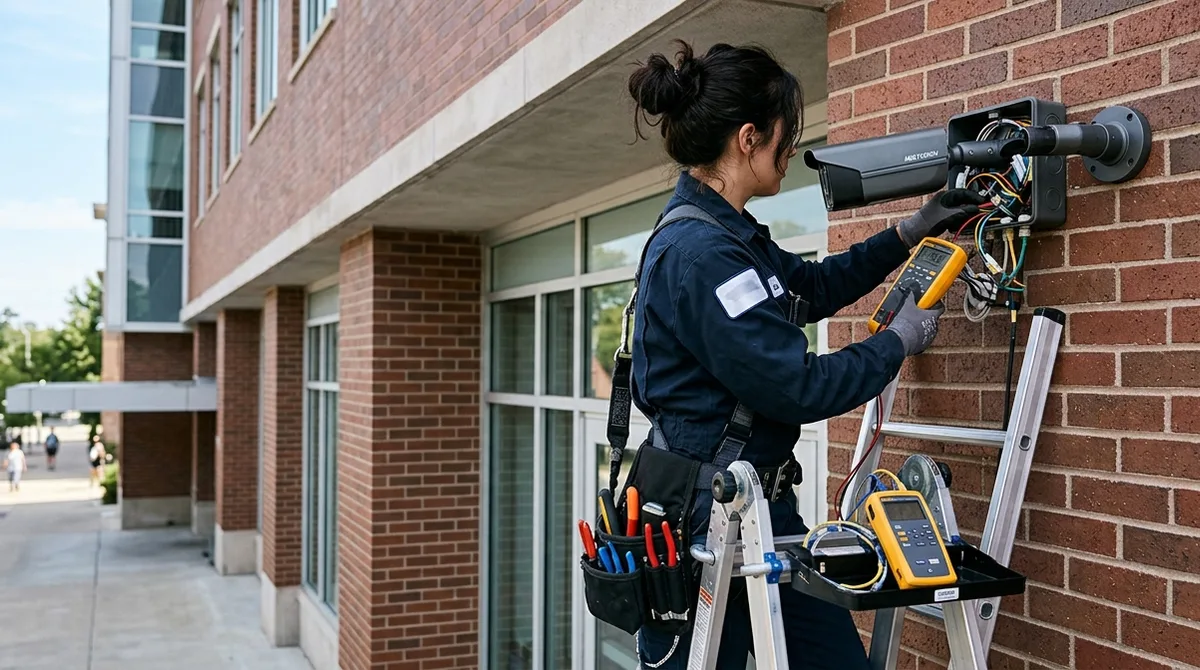
Security camera repair starts with one question: is the problem the camera, the cable, the power, or the recorder? Around 80% of “dead camera” service calls we run trace to four fixable causes — PoE power faults, water-damaged connectors, failed NVR hard drives, and IR failures — not a camera that needs replacing. This guide walks through the same triage 2M Technology’s technicians use, tells you honestly when repair beats replacement, and covers what a professional service call looks like when you’d rather hand it off.
Quick Triage: Match the Symptom to the Likely Cause
| Symptom | Most likely cause | First check | DIY or pro? |
|---|---|---|---|
| Camera shows offline / no video | PoE power or cable fault | Swap to a known-good switch port; check port power draw | DIY first |
| Works by day, black at night | Failed IR board or dirty dome | Look for the faint red IR glow after dark; clean the dome | Dome cleaning DIY; IR board = pro |
| Intermittent dropouts in rain/heat | Water in a connector or marginal cable run | Inspect the drip loop and junction box for corrosion | Pro (re-termination) |
| Foggy or milky image | Failed seal — moisture inside housing | Compare morning vs afternoon (condensation cycles) | Pro (reseal or housing swap) |
| All cameras down at once | NVR, switch, or power — never the cameras | Check NVR power, then switch LEDs | DIY first |
| Recorder beeping / footage gaps | Failing hard drive | NVR health page — look for SMART errors | Drive swap = pro or confident DIY |
| Image tinted purple/pink | Stuck IR-cut filter | Power-cycle the camera; listen for the filter click | DIY power-cycle; persistent = pro |
| PTZ won’t move or drifts | Worn drive gears or protocol conflict | Reboot; test at the NVR, not the app | Pro |
The Four Failures Behind Most Service Calls
1. PoE power problems
Power over Ethernet fails quietly: a switch port that no longer delivers full wattage, a budget switch that can’t power every camera at once, or a cable run past 100 meters. If a camera dies after you added more cameras to the same switch, it’s almost certainly a PoE budget problem — our PoE budget planning guide shows the math that prevents it.
2. Water and connectors
The most common outdoor failure isn’t the camera — it’s the RJ45 connector in an improperly sealed junction box. Texas heat cycles pump humid air through any gap; corrosion follows. A proper repair re-terminates the run, seals the box, and adds a drip loop — a one-hour fix that outlasts the camera.
3. NVR hard drives
Surveillance drives run 24/7 and typically last 3–5 years. Footage gaps, beeping, and recorder reboots are the warning signs; a proactive swap costs a fraction of discovering the drive died the week you needed footage. Size the replacement with our video storage calculator.
4. IR night-vision failures
IR LED boards dim and fail years before the sensor does. If night footage went dark but days look fine, the fix is an IR board or an external IR illuminator — not a new camera, unless the model is old enough that the repair costs more than current equivalents.
Repair or Replace? The Honest Math
Repair wins when: the camera is under ~5 years old, the failure is power/cable/connector (the camera itself is fine), or it’s one camera in an otherwise healthy system. Replacement wins when: the camera is analog on a coax run (IP upgrades cost little more than repairing obsolete gear), parts are discontinued, the same camera has failed twice, or image quality was never adequate — repairing a camera that can’t read a plate fixes the wrong problem — that’s when professional camera system installation beats another repair. A mixed ticket is normal: on a typical 16-camera service call we repair ten, replace three, and leave three alone.
Professional Repair Service — Any Brand, Including Systems We Didn’t Install
2M Technology (Texas Security License B15309) services security camera and access control systems across Dallas–Fort Worth with same-week scheduling, and nationwide for commercial clients. We repair all major ONVIF-conformant brands — Hikvision, Dahua, Axis, Uniview, UniFi, Hanwha, and our own 2M line — including systems installed by companies that no longer answer the phone, which describes about a third of our repair calls. A service visit includes full-system diagnosis (not just the camera you called about), PoE and cable testing, firmware updates, and a written health report with anything we’d watch. Broken door readers and maglocks ride the same truck — access control repair is half our service work.
Security Camera Repair FAQ
How much does security camera repair cost?
Typical commercial service calls run $150–$400 for diagnosis plus first repairs; connector re-terminations and camera swaps land at the low end, NVR drive replacements mid-range, and cable re-pulls at the top. We quote before work starts — no diagnosis-then-surprise pricing.
Can you repair a system another company installed?
Yes — that’s roughly a third of our service work. Bring whatever documentation exists (or none); we identify the hardware, recover admin access where the installer vanished with the passwords, and document the system properly so you’re never locked out again.
Why is my camera offline after a storm?
Storm outages are usually PoE injectors or switches damaged by surge, or water in an outdoor connector — the cameras themselves usually survive. Surge protection on the switch side is the cheap prevention nobody installs until the second storm.
My footage is gone but cameras show live video — what happened?
That’s the recorder, not the cameras: a failed hard drive, misconfigured retention, or motion-only recording that missed the event. It’s the most painful failure because it’s discovered after an incident — and the reason drive health checks are part of every 2M service visit.
Do you offer maintenance plans?
Yes — scheduled visits covering camera cleaning, connector inspection, drive health, firmware, and a written report. Facilities with 16+ cameras typically save the plan’s cost in avoided emergency calls alone.
How fast can you get here?
Same-week for most DFW commercial calls, next-day for down-system emergencies where nothing is recording. Request service with your brand and symptom, or call (214) 988-4302.