
Home › UniFi Deployment Center › UniFi Hotel Deployment Guide
UniFi Deployment Guide for Hotels & Hospitality Facilities
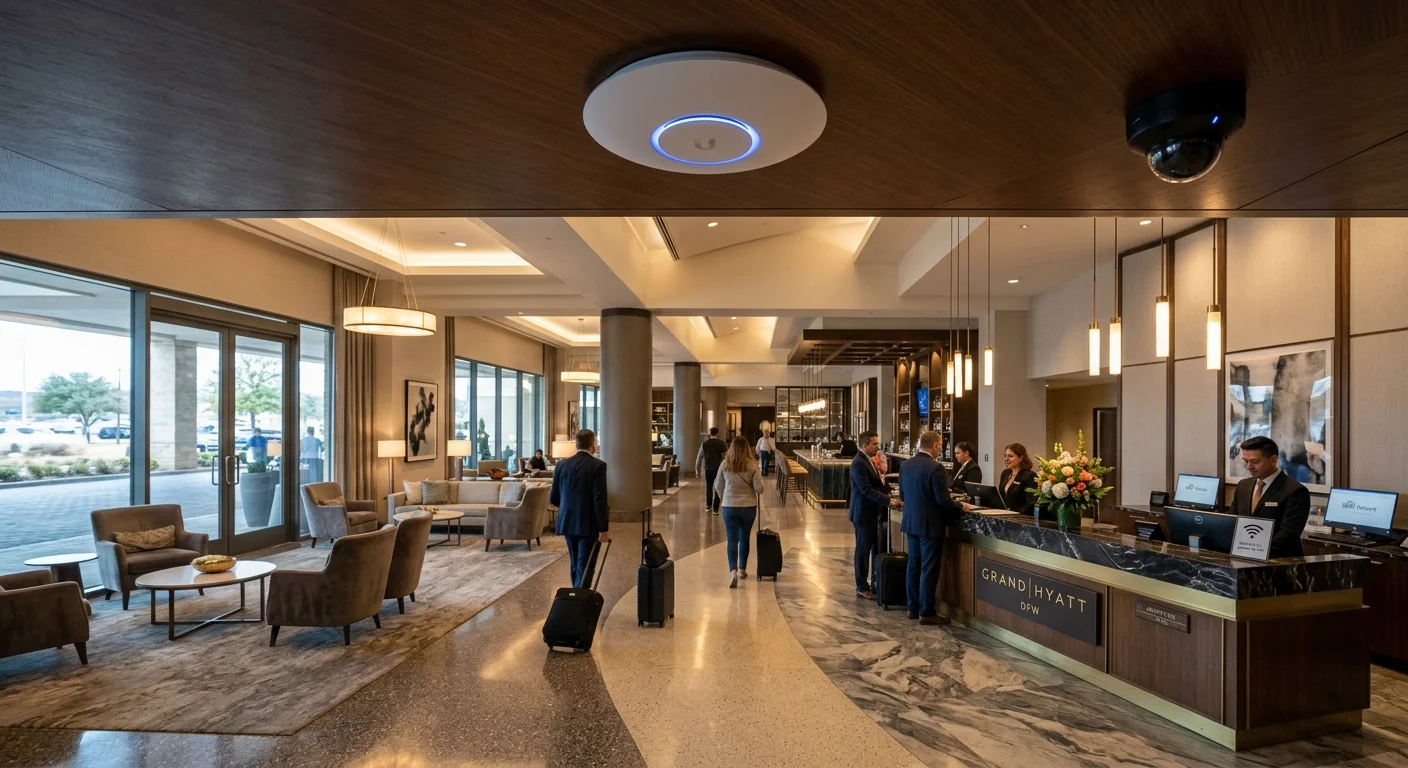
UniFi deployment hotels projects require balancing guest Wi-Fi experience, PCI-DSS payment isolation, surveillance coverage, and staff access control on shared infrastructure. This guide covers each layer for Texas hospitality properties.
UniFi deployment for hotels and hospitality facilities requires balancing guest experience (seamless, fast Wi-Fi), operational security (staff area access control, camera coverage), financial compliance (PCI-DSS network isolation for payment systems), and brand standards that vary by flag and ownership structure. 2M Technology designs and installs UniFi systems for independent hotels, branded properties, and resort facilities across Texas. This guide covers the hospitality-specific architecture decisions that determine whether an enterprise networking system delivers on all four requirements simultaneously.
1. Hotel UniFi Deployment Overview
Every UniFi deployment hotels project covers five distinct network zones — guest Wi-Fi, POS/payment, staff operations, surveillance, and building automation — all on shared switching infrastructure. A complete hotel UniFi deployment addresses five distinct network zones that must operate independently but share the same physical infrastructure:
| Zone | Users / Devices | Key Requirement |
|---|---|---|
| Guest Wi-Fi | Guest smartphones, laptops, tablets | High bandwidth, internet-only, captive portal |
| POS / Payment | Front desk terminals, F&B POS | PCI-DSS isolation from all other VLANs |
| Staff / Operations | Housekeeping tablets, maintenance, management | PMS access, no guest VLAN path |
| Security / Surveillance | Cameras, NVR, access control | Isolated from all guest and POS traffic |
| BMS / HVAC / IoT | Building automation, HVAC, energy management | Isolated OT network — no internet |
2. Hotel Camera Placement by Area
Camera placement in UniFi deployment hotels projects must cover lobby, corridors, parking, back-of-house, and pool/outdoor areas while strictly excluding guest rooms and restrooms.
| Area | Camera | Coverage Approach |
|---|---|---|
| Main lobby | AI Turret or AI 360 | Full lobby floor view + front desk coverage |
| Guest room corridors | G5 Dome (wide FOV) | One camera per 80–100 ft of corridor length |
| Elevator lobbies | G5 Dome or AI Turret | Coverage of elevator doors and lobby area per floor |
| Parking structure / lot | G5 Bullet or G6 Turret | All drive lanes, entry/exit, stairwells |
| Pool / outdoor areas | G6 Turret (IP66, -30°C) | Full pool deck and entry coverage — no underwater |
| F&B / restaurant | G5 Dome or AI 360 | Entrance, register area, back of house exit |
| Back of house / loading | G5 Bullet or G5 Pro | Delivery dock, employee entrance, laundry |
| Fitness center | G5 Dome | Entry and floor coverage — avoid locker room adjacency |
Privacy notes: Guest rooms, restrooms, locker rooms, and changing areas are prohibited. Pool areas require careful angle management to avoid capturing minors inappropriately — review camera positions with property legal counsel. Corridor cameras should capture room door entry — verify no single camera captures an extended view of guest room doors in a way that could document guest movements over extended periods beyond security needs.
3. Guest Wi-Fi Design for Hotels
Guest Wi-Fi is the most visible outcome of any UniFi deployment hotels project — slow or unreliable Wi-Fi is consistently the top guest complaint across all hotel categories. Hotel guest Wi-Fi is a direct driver of guest satisfaction scores — poor Wi-Fi performance is consistently among the top complaints in hotel reviews. UniFi configuration best practices:
- One AP per guest room floor, positioned in the corridor: For standard hotel room layouts (rooms on both sides of corridor), corridor APs at 40–60 ft intervals cover all rooms. Wi-Fi 6 (U6 Pro) penetrates standard hotel wall construction effectively; concrete construction requires one AP per 30 ft.
- UniFi Guest Portal: Enable the branded captive portal in UniFi Network for guest authentication. Supports room-number based authentication (via PMS integration hook) or simple password. Customize portal with hotel branding — white-label appearance for branded properties.
- Bandwidth per guest: Set per-client download/upload limits in UniFi (typically 50/25 Mbps per client) to prevent single guests from saturating the uplink during peak check-in periods.
- Client isolation: Enable client isolation on the guest SSID — guests cannot communicate with each other’s devices on the same network.
- 6 GHz for conference/meeting rooms: Wi-Fi 7 APs (U7 Pro) in conference rooms provide dedicated 6 GHz capacity for meeting-room clients — separates high-demand conference bandwidth from general guest hallway traffic.
4. PCI-DSS Network Segmentation for Hotel Payment Systems
PCI-DSS compliance is a legal requirement for every UniFi deployment hotels project that processes payment cards — front desk, restaurant, and spa POS systems must be on a completely isolated CDE VLAN. Hotels process payment cards at front desk, restaurant, spa, and valet — all points handling cardholder data fall within the PCI-DSS Cardholder Data Environment (CDE). PCI-DSS v4.0 requires complete network isolation of the CDE from all other networks:
- POS terminals and front desk payment systems must be on a dedicated VLAN with no path from guest Wi-Fi, staff devices, or camera VLANs
- The PCI VLAN should use a dedicated internet uplink (separate WAN or strict firewall policy) — hotel guest internet traffic must not traverse the same circuit as payment data
- UniFi’s firewall rules must explicitly block all inter-VLAN traffic touching the PCI VLAN — even management traffic from the UniFi controller should not pass through PCI switch ports
- Scope reduction: keep the number of PCI VLAN ports minimal — only actual POS terminal ports should be in the PCI VLAN. Management interfaces of POS systems that are on the PCI VLAN expand the audit scope.
See our VLAN design guide for detailed PCI VLAN firewall rule recommendations. PCI-DSS compliance assessment requires a QSA (Qualified Security Assessor) — this guide covers network design only.
Standards reference: PCI Security Standards — pcisecuritystandards.org | UniFi camera specifications — ui.com
5. Access Control for Hotel Staff & Service Areas
Access control in UniFi deployment hotels projects secures back-of-house staff areas, IT rooms, cash handling zones, and mechanical rooms with logged credential-based entry.
- Back-of-house employee entrance: NFC credential access for all staff — eliminates shared key/code risks and provides arrival/departure logging for HR purposes
- Housekeeping supply rooms: Controlled access prevents unauthorized amenity access and supports loss prevention
- Server room / IT closet: Two-factor access (card + PIN) for IT infrastructure areas — network equipment access is high-value in hotel environments
- F&B cash handling areas: Bar cash drawers and safe rooms on Access Hub control for loss prevention
- Rooftop / mechanical: HVAC and mechanical areas should be access-controlled — unauthorized rooftop access creates liability and equipment damage risk
6. NVR & Storage Architecture for Hotels
NVR storage for UniFi deployment hotels projects typically requires 30-day retention for general cameras and separate continuous recording for high-value areas. Hotel camera retention is typically 30 days — longer than a standard office but shorter than healthcare. For a 150-room hotel with 60 cameras (corridors, lobby, parking, back of house) at 2K resolution on motion recording:
- Estimated storage: 60 × 300 GB = 18 TB for 30-day retention
- Recommended NVR: UNVR Pro (7-bay) with 7× 6 TB drives in RAID 5 (36 TB usable) — comfortable headroom for growth
- NVR location: Server room or secure back-of-house IT closet with access control — not the front desk or manager’s office
For multi-property hotel groups, consider centralizing NVR management through UniFi’s multi-site capability — each property has its own NVR but all can be viewed from a single management dashboard by corporate security teams.
7. UniFi vs. Hotel-Specific Systems
When evaluating UniFi deployment hotels options against hotel-specific systems, the key advantage is unified management of cameras, Wi-Fi, and access control in a single platform.
| Factor | UniFi | Dedicated Hotel Systems (Saflok, Assa Abloy) |
|---|---|---|
| Guest room locks | Not applicable (keycard locks are separate) | Purpose-built for guest room keycard management |
| Back-of-house access | Excellent — NFC, mobile, PIN, schedule-based | Basic — often only keycard |
| Camera + access integration | Native in UniFi Protect + Access | Separate systems, no integration |
| Guest Wi-Fi portal | Built-in captive portal, brandable | Not included |
| Subscription cost | Hardware only — no annual subscription | Annual maintenance/subscription typical |
UniFi does not replace hotel keycard lock systems (Saflok, Assa Abloy, VingCard) for guest room access — those are purpose-built for PMS integration and are separate from UniFi Access. UniFi Access handles back-of-house staff access, service areas, and IT rooms. The two systems coexist and complement each other in a complete hotel security deployment.
UniFi Hotel Deployment — Guest Wi-Fi AP Density Reference
| Property Type | Wall Construction | AP Coverage per Unit | APs per 100 Rooms | Notes |
|---|---|---|---|---|
| Budget / limited service | Drywall / wood frame | 40–60 ft corridor coverage | 10–15 APs | One corridor AP covers 4–6 rooms each side |
| Full service / branded | Drywall / light masonry | 30–40 ft corridor coverage | 16–22 APs | Brand standard often requires in-room or just-outside-room AP |
| Upscale / luxury | Concrete / thick masonry | Per-room or per-suite AP | 25–35 APs | Concrete blocks signal significantly; verify with RF survey |
| Resort / extended campus | Varies by building | Per-building AP design | Varies | Multi-building design required; pool and outdoor coverage separate |
| Conference center (per room) | Varies | 1 AP per meeting room minimum | N/A — per room | Conference rooms need dedicated APs for peak meeting density |
⚠ Critical Warnings — UniFi Hotel Deployments
8. Common Hotel UniFi Deployment Mistakes
The most costly UniFi deployment hotels mistakes involve PCI-DSS violations — shared VLANs between guest Wi-Fi and POS systems, or NVRs stored in unsecured locations.
- Insufficient AP density for conference rooms: Hotel conference rooms hosting events can have 100–200 clients simultaneously — one AP per room is the minimum for event-capacity Wi-Fi performance
- Guest Wi-Fi on same VLAN as POS: Any shared VLAN between guest-accessible devices and payment terminals creates PCI-DSS audit scope expansion and liability
- No parking coverage: Guest vehicle break-ins in hotel parking are a common liability claim — parking lot cameras with 30-day retention are essential for incident documentation
- NVR in an unlocked manager’s office: Hotel management offices are not physically secure spaces — NVR must be in a locked, access-controlled room
- No bandwidth limits on guest SSID: Without per-client limits, a single guest running a large backup or streaming session can degrade Wi-Fi for an entire floor
Frequently Asked Questions
Can UniFi integrate with hotel PMS (Property Management System) for guest Wi-Fi authentication?
UniFi’s guest portal supports custom authentication workflows including room-number-based authentication that can be aligned with PMS check-in/check-out. Full bidirectional PMS integration (where check-out automatically revokes Wi-Fi access) requires a middleware solution or custom API integration — this is possible with common PMS platforms (Opera, Cloudbeds, Mews) but requires scoping per property. Contact 2M Technology to discuss PMS integration options for your specific PMS platform.
How many APs does a 150-room hotel need?
A 150-room hotel typically requires 30–60 APs depending on construction type and property layout. Standard drywall construction with rooms on both sides of corridors: one AP per 40–60 ft of corridor covers all adjacent rooms. Concrete construction (common in Texas high-rises and resort properties) requires more APs — sometimes one per room cluster or even one per room for luxury properties with thick walls. Lobby, restaurant, pool deck, and conference rooms each require dedicated APs sized for their peak client load.
Does 2M Technology install UniFi in hotels across Texas?
Yes. 2M Technology designs and installs UniFi surveillance, Wi-Fi, and access control systems for hotels and hospitality properties across Texas including the Dallas-Fort Worth metroplex, Grapevine, and surrounding communities. Our hospitality deployment scope includes guest Wi-Fi design, PCI-DSS VLAN segmentation, camera placement, back-of-house access control, and NVR architecture. Contact us for a free property assessment.
Related Deployment Guides — Plan the Full System
Hospitality security infrastructure spans guest Wi-Fi, surveillance, PCI-DSS segmentation, and staff access control. These guides cover each layer:
Plan Your Hotel UniFi Deployment
- Texas Private Security License B15309
- (214) 988-4302
- sales@2mtechnology.net


