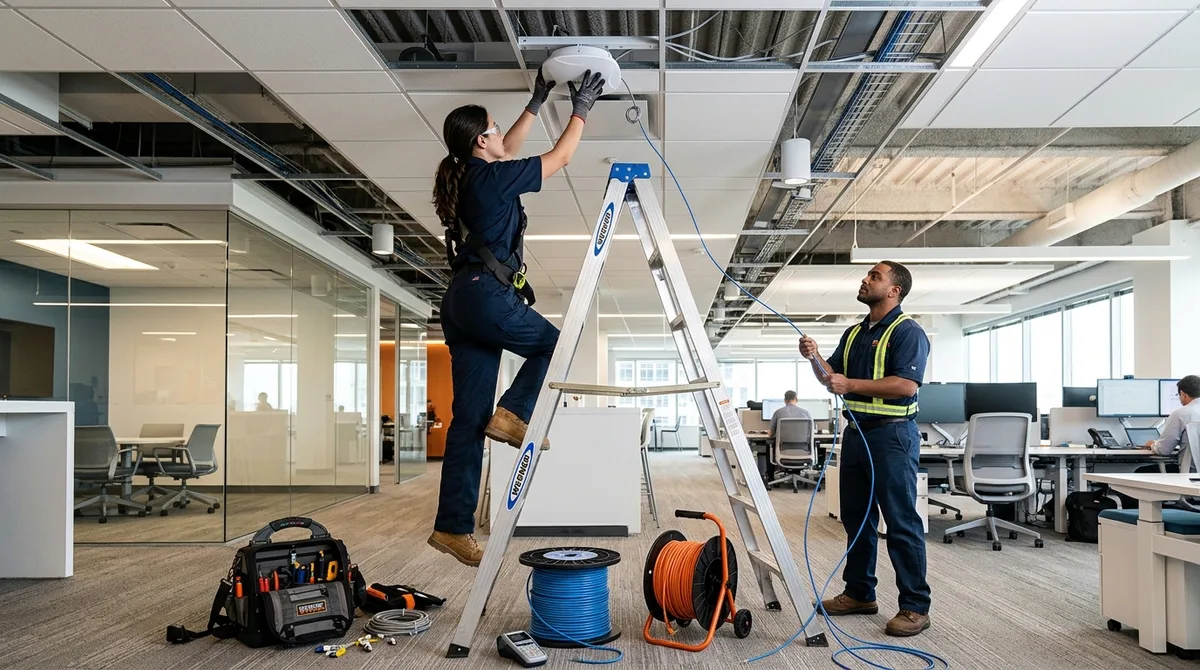
Ubiquiti Installer for Commercial UniFi Networks
A certified Ubiquiti installer designs and deploys UniFi networks — access points, PoE switching, gateways, cameras, and door access — as one engineered system rather than a pile of well-reviewed hardware. 2M Technology installs UniFi for commercial clients nationwide: local crews across Dallas–Fort Worth, and traveling deployment teams for businesses in markets that don’t have a certified commercial installer of their own — which, as our inbound calls prove weekly, is most markets.
Why UniFi Projects Fail Without an Installer
UniFi’s price and console make it look DIY-friendly, and for a three-AP office it can be. Commercial deployments fail on four predictable engineering points: PoE budgets — IEEE 802.3bt switches that can’t power the full camera-and-AP load at once (the math is in our PoE budget planning guide); RF design — AP counts and channel plans that work in drywall offices but not warehouses (see the commercial WiFi 7 deployment guide); adoption and VLAN architecture — flat networks that put cameras, guests, and point-of-sale on one broadcast domain; and storage sizing — Protect deployments that overwrite evidence in nine days. An installer’s value is getting these four right before the first bracket goes on a wall.
What a 2M UniFi Installation Includes
| Phase | What happens | Deliverable |
|---|---|---|
| Design | Floor-plan RF layout, PoE load math, VLAN plan, hardware BOM — done remotely for any U.S. site | Stamped design + fixed quote |
| Staging | Controllers adopted, firmware pinned, networks configured before shipping | Site arrives pre-built |
| Installation | Mounting, cabling, termination, labeling — local crew (DFW) or traveling team (nationwide) | Clean, documented physical plant |
| Commissioning | Coverage validation walk, camera aiming, access enrollment, handoff training | Signal report + as-built docs |
| Support | Remote monitoring option, firmware management, repair service on everything we install | One accountable vendor |
Nationwide Coverage — Including Where No Local Installer Exists
Search data shows the gap plainly: businesses from Long Island to Austin search for a “UniFi installer near me” and find nobody local who does commercial work. 2M closes that gap two ways. For projects of roughly 15 devices and up, our deployment team travels — design happens remotely, staging happens in our Grand Prairie facility, and installation is typically 2–4 days on site. For smaller out-of-area projects, we deliver the full remote design and staged hardware, and your local low-voltage contractor handles physical mounting to our documentation. In Dallas–Fort Worth, our home market, local crews handle everything from Dallas and Fort Worth to every suburb — see the full DFW UniFi installation hub.
Choosing Your Platform First?
If you’re still comparing ecosystems before committing to UniFi, we’ve written honest installer-perspective comparisons: UniFi vs Omada for the license-free head-to-head, Ubiquiti vs Meraki on the subscription question, and UniFi vs Verkada for the camera side. Ballpark your hardware with the UniFi system cost estimator before any sales call.
Ubiquiti Installer FAQ
How much does professional UniFi installation cost?
Commercial installations typically run $150–$300 per device installed (AP, camera, or switch) plus cabling, with design included on projects we install. A 20-device office lands in the $4,000–$8,000 range installed; hardware is billed at list — UniFi has no dealer markup games. Fixed quote before work starts.
Do you really travel for out-of-state installations?
Yes — for commercial projects of roughly 15+ devices, anywhere in the U.S. Design and staging happen before travel, so on-site time stays short. Multi-site rollouts (franchises, clinics, dealerships) are where traveling teams beat hiring a different integrator per city.
Are you a certified Ubiquiti installer?
2M is a UniFi-certified partner and a Texas-licensed security integrator (License B15309) — relevant because most of our UniFi projects include Protect cameras and Access door control, which in many states legally require a licensed security company, not just a network installer.
Can you take over a UniFi network someone else installed?
Yes — takeover projects (lost admin credentials, departed IT person, half-adopted devices) are routine. We recover or rebuild the controller, document the network properly, and hand you the keys. The same applies to repairing camera systems other companies abandoned.
How long does installation take?
Single-site commercial: usually 2–4 days on site after design and staging. Design-to-commissioned is typically 2–3 weeks including hardware lead times. Multi-site rollouts run on a per-site cadence we schedule around your operations.
Do you install UniFi cameras and door access too?
That’s the reason most clients choose us over a pure network shop: Protect cameras, Access readers, and the network arrive as one designed system from one licensed vendor. Request a design quote with your floor plan or square footage.