
Home › UniFi Deployment Center › UniFi AI 360 Commercial Deployment Guide
Proven UniFi AI 360 Commercial Deployment Guide | 360-Degree Camera Coverage for Texas
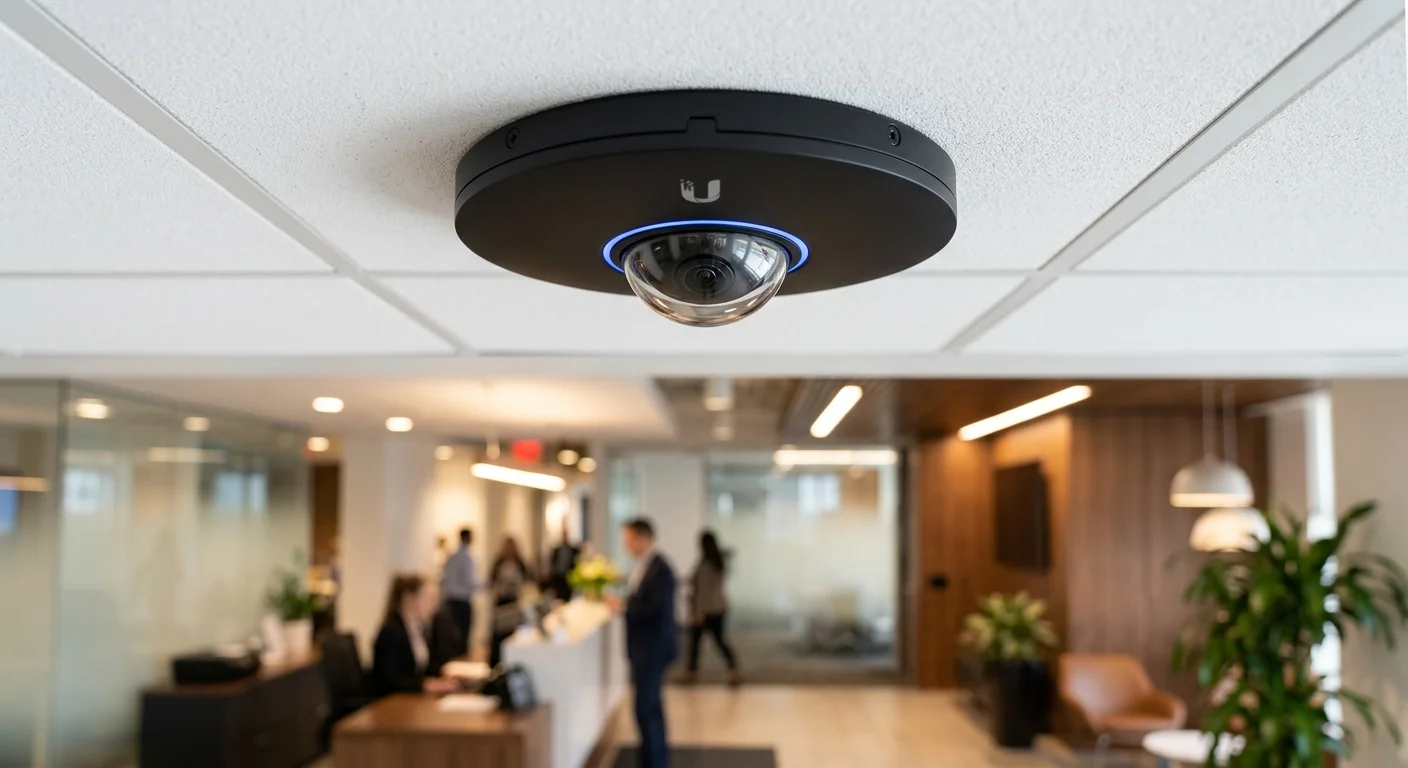
UniFi AI 360 commercial deployment eliminates camera blind spots with a single 4K fisheye unit covering an entire room from one ceiling mount — replacing up to four fixed cameras in lobbies, retail floors, and distribution centers. 2M Technology deploys AI 360 systems across Texas commercial facilities as the primary coverage layer in high-value surveillance zones where comprehensive coverage and AI detection are both required.

Quick Reference — UniFi AI 360 (UVC-AI-360)
AI 360 commercial deployment — available through 2M Technology
| Resolution | 8MP (4K) fisheye sensor |
|---|---|
| Field of View | 360-degree panoramic (ceiling mount) |
| IR Night Vision | 10 m (33 ft) Smart IR |
| PoE Requirement | 802.3af, max 15.4W |
| Ratings | IP67 weatherproof |
| Recording | 30 fps H.265+ via UniFi Protect |
1. What is UniFi AI 360?
The UniFi AI 360 (UVC-AI-360) is a 4K (8MP) fisheye security camera delivering complete 360-degree panoramic coverage from a single ceiling-mount point. UniFi AI 360 commercial deployment uses on-camera AI detection for persons, vehicles, and packages with no per-channel licensing fees. One unit replaces up to four standard fixed cameras in open-plan Texas commercial spaces, reducing installation cost and cabling complexity.
UniFi AI 360 commercial deployment planning begins with understanding what the fisheye sensor delivers versus traditional fixed cameras — a critical choice for Texas facility managers comparing coverage architectures.
Unlike fixed-angle cameras requiring multiple units to cover a lobby or retail floor, the AI 360 mounts at ceiling center and captures the full room simultaneously. UniFi Protect dewarps the fisheye stream into a panoramic view, quad-view, and perspective view — all from one camera feed. The 8MP sensor delivers sufficient resolution at recommended mounting heights of 3.0-3.5m (10-11.5ft) for facial detail adequate for commercial identification purposes.
AI detection runs on-camera without cloud dependency. The camera identifies persons, vehicles crossing detection zones, and package placement or removal events. Alerts route to the UniFi Protect mobile app and can trigger access control actions via UniFi Access integration — all managed from a single unified console.
2. Commercial Use Cases in Texas
Understanding UniFi AI 360 commercial deployment commercial use cases helps 2M Technology engineers select the right coverage architecture for each Texas facility type and business objective.
Corporate Lobby and Reception
A single AI 360 mounted at lobby ceiling center captures every entry approach, reception interaction, and elevator lobby movement simultaneously. Standard lobbies require 3-4 fixed cameras to match this coverage. The AI 360 reduces installation cost and monitoring complexity while providing continuous 360-degree surveillance with no camera-switching gaps.
Retail Loss Prevention
Texas retailers deploy the AI 360 above high-shrink product zones, checkout lanes, and stockrooms. The 360-degree view eliminates blind angles that shoplifters exploit around traditional dome cameras. AI person detection triggers alerts when individuals enter restricted stockroom areas or linger in high-value product zones beyond configurable dwell-time thresholds.
Warehouse and Distribution Centers
Open warehouse bays present the most challenging coverage problem for fixed cameras. The AI 360 mounted at bay center captures full floor activity, dock door access, and staging area interactions. For Texas facilities with ceilings above 4.5m, 2M Technology supplements AI 360 units with fixed cameras at dock doors where ground-level facial detail is required for identification.
3. Technical Specifications
UniFi AI 360 commercial deployment technical decisions require verified specifications — the values below come directly from Ubiquiti’s published datasheet for the UVC-G5-360-M as verified in Texas commercial deployments.
| Specification | Value | Commercial Note |
|---|---|---|
| Sensor | 1/1.7-inch CMOS, 8MP (4K) | 4K delivers sufficient detail at 3.5m mount height |
| Native Resolution | 2880×2880 fisheye; up to 8184×2048 dewarped panoramic | Dewarping handled by UniFi Protect server-side |
| Field of View | 360-degree horizontal fisheye from ceiling mount | Single unit covers full room perimeter from one camera |
| Frame Rate | 30fps at maximum resolution | H.265+ reduces storage vs H.264 by approximately 40% |
| IR Illumination | 10m (33ft) Smart IR with auto-intensity adjustment | Auto-adjusts to avoid overexposure at close range |
| PoE Requirement | 802.3af compliant, max 15.4W draw | Standard PoE port — no PoE+ required |
| IP Rating | IP67 (dust-tight, immersion-rated) | Suitable for covered outdoor and indoor installation |
| Audio | Built-in omnidirectional microphone | Verify Texas two-party consent requirements before enabling audio recording |
| Operating Temperature | -25 to +50 degrees C (-13 to +122 F) | Operates in unconditioned Texas warehouse environments |
| NVR Compatibility | UniFi Protect: UNVR, UNVR Pro, Enterprise NVR, UDM-Pro | No third-party NVR support |
Source: Ubiquiti UniFi Tech Specs — Cameras and NVRs | Verify current values with 2M Technology before project specification.
4. Deployment Requirements
UniFi AI 360 commercial deployment installation requires ceiling structural assessment, cable routing plan, and NVR capacity planning before hardware is ordered — 2M Technology conducts pre-installation surveys for every Texas project.
| Requirement | Specification |
|---|---|
| Cabling | Cat5e or Cat6, max 100m copper run per camera; shielded recommended in EMI environments |
| PoE Source | 802.3af-capable switch port or injector; one port per camera; daisy-chaining not supported |
| Mounting Height | 3.0-3.5m (10-11.5ft) recommended for facial detail; above 4.5m significantly reduces ground-level resolution |
| Mount Type | Ceiling surface mount (hardware included); junction box adapter available for J-box installations |
| NVR Capacity | At least 1 available camera slot on UNVR, UNVR Pro, or Enterprise NVR running UniFi Protect 3.0+ |
| Storage Estimate | Approximately 90GB/day per camera at 4K 30fps H.265+; 30-day retention requires ~2.7TB allocated per unit |
| Network | Dedicated camera VLAN recommended; minimum 10Mbps per camera on uplink to NVR |
5. UniFi Ecosystem Integration
UniFi AI 360 commercial deployment delivers maximum value when integrated with UniFi Access for door control triggers, NVR smart retention, and Protect AI analytics — 2M Technology configures all three layers on every Texas commercial deployment.
The AI 360 integrates natively with UniFi Protect for recording and AI event detection, UniFi Access for event-triggered door lock/unlock actions, and UniFi Network for VLAN-segregated camera traffic. 2M Technology configures camera VLANs on isolated network segments separated from business traffic — a mandatory security practice for commercial Texas deployments.
AI detection events from the AI 360 trigger Access automation: a person detection event in a restricted area after hours can immediately lock adjacent doors and send mobile alerts to facility managers. This unified automation is configured within the UniFi console with no third-party middleware or additional licensing required.
For multi-site Texas deployments, the AI 360 participates in UniFi centralized management — a single Network Application manages cameras across all locations, enabling policy consistency and unified event review from corporate IT. See the IDF/MDF Architecture Guide for campus-scale structured cabling design that supports multi-building AI 360 deployments.
6. UniFi AI 360 vs Commercial Fisheye Alternatives
When evaluating UniFi AI 360 commercial deployment against competing fisheye cameras, total cost of ownership including NVR software licensing shifts the comparison significantly in UniFi”s favor for Texas commercial environments.
| Feature | UniFi (2M Technology) | Hikvision DS-2CD63C5G2 | Axis M3047-P |
|---|---|---|---|
| Resolution | 8MP (4K) native | 8MP native | 6MP |
| AI Detection | On-camera, no license fee | Requires DeepinMind NVR | Requires AXIS Camera Station |
| PoE Requirement | 802.3af (15.4W) | 802.3at (25W) PoE+ | 802.3af (13W) |
| NVR Software | UniFi Protect (included with NVR) | iVMS-4200 — separate download | AXIS Camera Station — licensed |
| IP Rating | IP67 | IP67 | IP42 indoor only |
| Multi-site Management | Unified UniFi console | Separate NVR per site | Separate AXIS console per site |
| License Cost | None — included | Per-channel VMS license required | Per-camera license required |
7. Common UniFi AI 360 Commercial Deployment Mistakes
Avoiding common UniFi AI 360 commercial deployment mistakes requires field experience — three errors account for the majority of post-installation rework 2M Technology is called to correct on Texas sites.
Mounting Above 4.5 Meters
The fisheye sensor captures 360-degree coverage at any height, but ground-level facial detail degrades rapidly above 3.5m. High-ceiling warehouses and atriums need supplemental fixed cameras at entry points — the AI 360 alone is insufficient for identification purposes when mounted above 4.5m. 2M Technology designs multi-layer coverage for facilities with ceiling heights exceeding this threshold.
Skipping Detection Zone Configuration
Without detection zones configured, the AI 360 fires person-detection alerts for every person in frame at all hours — generating alert fatigue that causes operators to disable notifications entirely. 2M Technology configures specific alert zones and time schedules on every deployment to ensure alerts remain actionable and operationally useful.
Undersizing NVR Storage
4K 30fps H.265+ generates approximately 90GB per camera per day. A 10-camera AI 360 deployment recording at full resolution for 30 days requires 27TB allocated. Deploying a UNVR (4-bay, 28TB max) for this scenario leaves zero buffer — a UNVR Pro or Enterprise NVR is required. 2M Technology calculates exact storage requirements during the site survey phase.
8. Frequently Asked Questions
UniFi AI 360 commercial deployment questions from Texas facility managers center on coverage guarantees, AI accuracy, and integration with existing security systems — answered directly below.
How many square feet does one UniFi AI 360 cover?
At 3.5m (11.5ft) mounting height, the AI 360 covers approximately 1,200-1,800 sq ft of open floor space with useful video detail. A single unit handles most commercial lobbies up to 40x40ft. Larger open areas, L-shaped floors, or spaces with significant obstruction require multiple units or supplemental fixed cameras. 2M Technology designs specific coverage maps for each Texas facility during the site survey.
Does the UniFi AI 360 require a license for AI detection?
No — person, vehicle, and package detection are included with UniFi Protect at no additional per-camera cost. Facial recognition (matching faces against a stored database) is a separate licensed feature. Contact 2M Technology for current licensing pricing on facial recognition for Texas commercial deployments.
Can the AI 360 be used outdoors in Texas?
Yes. The IP67 rating makes the AI 360 suitable for covered outdoor areas including covered parking structures, building overhangs, and loading dock ceilings. It is not designed for direct rain exposure on horizontal surfaces — a structural overhang is required for outdoor use. For fully exposed outdoor mounting, 2M Technology recommends the UniFi AI Pro or G5 Bullet cameras.
What NVR is required for UniFi AI 360 commercial deployment in Texas?
The AI 360 requires a UniFi Protect-compatible NVR: UNVR (up to 15 cameras, 28TB), UNVR Pro (up to 50 cameras, 50TB), Enterprise NVR (up to 128 cameras, 320TB), or UDM-Pro (limited local storage). For commercial deployments with more than 10 AI 360 units at 4K retention, 2M Technology recommends the UNVR Pro or Enterprise NVR to accommodate storage requirements.
How does the 360-degree view display in UniFi Protect?
UniFi Protect dewarps the fisheye stream into four simultaneous views: full 360-degree panoramic strip, quad-view (four virtual camera windows from one unit), single perspective view (with digital pan/tilt/zoom within the fisheye), and the original fisheye circle. All views are available in the Protect mobile app and web console with no additional software — dewarping is handled server-side by the NVR hardware.
Related Deployment Guides — Plan the Full System
Deploy UniFi AI 360 for Your Texas Facility
- Texas Private Security License B15309
- (214) 988-4302
- sales@2mtechnology.net


