
Home › UniFi Deployment Center › UniFi G5 Dome Commercial Deployment Guide
Trusted UniFi G5 Dome Commercial Deployment Guide | Enterprise Dome Camera for Texas
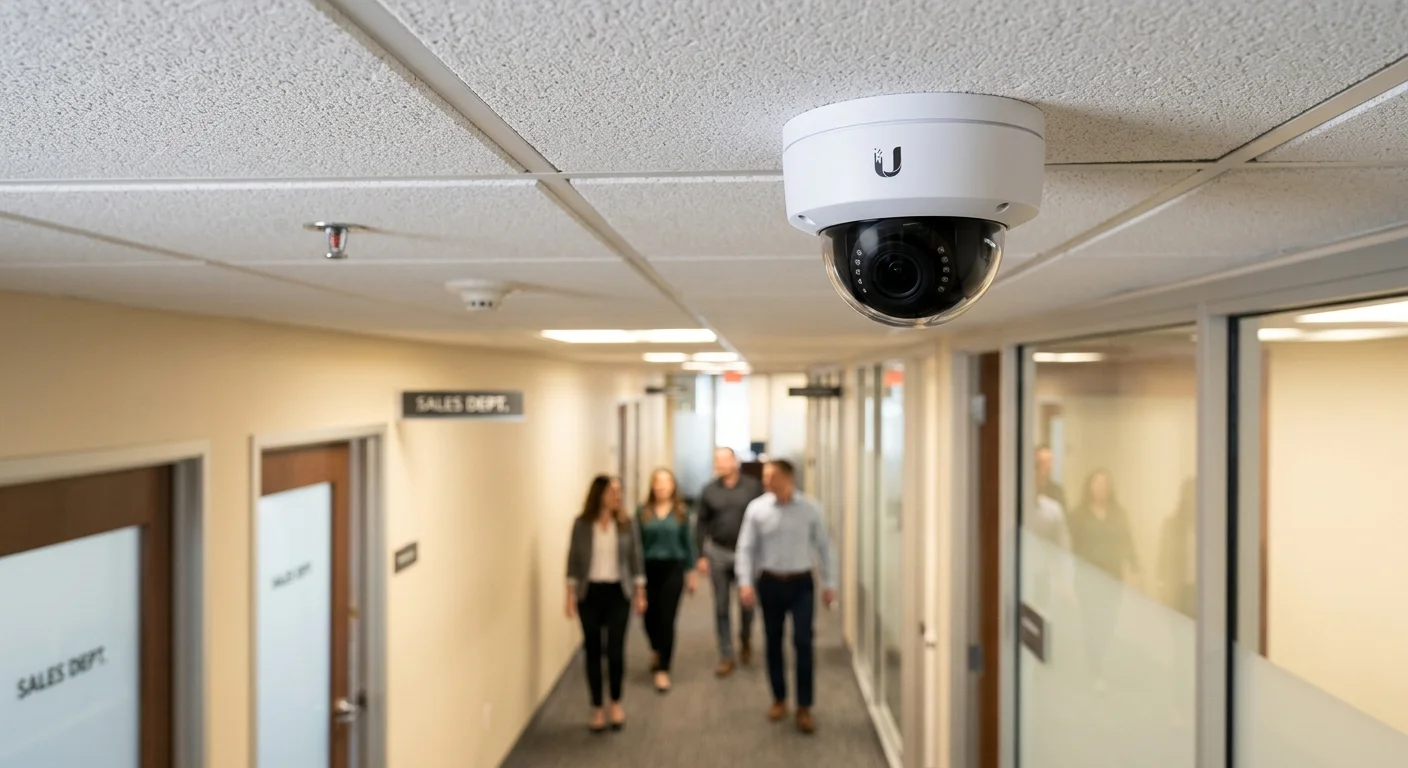
UniFi G5 Dome commercial deployment is the standard indoor coverage solution for Texas office buildings, retail facilities, and light industrial environments. The IK10 vandal-resistant housing, 5MP resolution, and PoE-powered installation make the G5 Dome the most widely deployed camera model in 2M Technology commercial projects across North Texas. UniFi G5 Dome commercial deployment planning requires lens selection, mounting position, and IR performance decisions before hardware procurement — each affects coverage quality in Texas commercial environments.

Quick Reference — UniFi G5 Dome (UVC-G5-Dome)
G5 Dome commercial deployment — available through 2M Technology
| Resolution | 5MP (2K), 2560×1440 |
|---|---|
| Lens Options | 2.8mm (H-FoV: 87°) or 4mm (H-FoV: 57°) |
| IR Night Vision | 15 m (49 ft) |
| PoE Requirement | 802.3af, max 15.4W |
| Ratings | IP54, IK10 vandal-resistant |
| Recording | 30 fps H.265+ via UniFi Protect |
1. What is UniFi G5 Dome?
The UniFi G5 Dome (UVC-G5-Dome) is a 5MP (2K) indoor dome security camera with IK10 vandal-resistant housing, 15m IR night vision, and H.265+ recording via UniFi Protect. UniFi G5 Dome commercial deployment covers office corridors, retail sales floors, server rooms, and reception areas from standard ceiling surface or pendant mounts. The 2.8mm lens option provides 87-degree horizontal coverage — sufficient for most commercial corridor widths without additional cameras.
The G5 Dome represents the volume workhorse of UniFi commercial camera deployments. Its ceiling-flush profile resists casual tampering (IK10 rated to 20 Joules of impact), and the IP54 rating handles light cleaning and ambient moisture in commercial kitchens and corridors. 2M Technology deploys G5 Dome units as the primary coverage layer in multi-camera commercial projects, reserving the AI 360 and AI Pro for high-value zones requiring 360-degree or long-range coverage.
Like all UniFi Protect cameras, the G5 Dome requires no per-camera licensing for recording or motion detection. Smart detection features (person, vehicle, animal) are included with the UniFi Protect application running on any compatible NVR.
2. Commercial Use Cases in Texas
Matching UniFi G5 Dome commercial deployment lens choice to room geometry is the most critical decision — 2.8mm for wide rooms and corridors, 4mm for longer narrower spaces and stairwells.
Office Corridors and Common Areas
The 2.8mm G5 Dome covers a standard 12-foot corridor from ceiling center, capturing faces of individuals approaching from both directions within the 87-degree horizontal FoV. Texas office buildings typically deploy one G5 Dome every 25-30 linear feet of corridor for continuous face-capture coverage at standard 9-foot ceiling heights.
Retail Sales Floor Coverage
Texas retailers use the G5 Dome in a grid pattern across open sales floors, typically one camera per 400-600 sq ft at 9-foot ceilings. The IK10 vandal rating protects cameras in public-facing retail environments. 2M Technology pairs G5 Dome grid coverage with AI 360 units above high-shrink zones for both broad coverage and detailed detection.
Server Room and IT Infrastructure Access
The G5 Dome IP54 rating and compact profile make it the standard choice for server room access monitoring. Texas facilities deploy one camera at the server room door (4mm lens, tight framing of the entry) and one inside covering rack rows — providing an audit trail of who accessed the room and which racks were approached.
3. Technical Specifications
UniFi G5 Dome commercial deployment technical specifications directly from Ubiquiti’s published datasheet, as verified in Texas commercial installations by 2M Technology engineers.
| Specification | Value | Commercial Note |
|---|---|---|
| Sensor | 1/2.8-inch CMOS, 5MP (2K) | 2K resolution at 15.4W PoE — no PoE+ required |
| Resolution | 2560×1440 (5MP / 2K) | Sufficient for facial detail at 3m mounting height |
| Lens Options | 2.8mm (87 deg H-FoV) or 4mm (57 deg H-FoV) | Order correct lens for room geometry — cannot swap post-install |
| Frame Rate | 30fps at maximum resolution | H.265+ reduces storage approximately 40% vs H.264 |
| IR Illumination | 15m (49ft) with Smart IR auto-adjustment | Auto-adjusts intensity to prevent close-range overexposure |
| PoE Requirement | 802.3af compliant, max 15.4W | Standard PoE port — no PoE+ switch required |
| Ingress Protection | IP54 (dust-protected, splash-resistant), IK10 (20J impact) | IK10 resists casual vandal attacks in public commercial areas |
| Operating Temperature | -25 to +50 degrees C | Suitable for unconditioned commercial spaces in Texas summer |
| Compression | H.265+ (Smart Codec) and H.264 fallback | H.265+ is default in UniFi Protect — reduces storage consumption |
| NVR Compatibility | UNVR, UNVR Pro, Enterprise NVR, UDM-Pro via UniFi Protect | Adopts automatically via Layer 2 discovery in same network segment |
4. Deployment Requirements
UniFi G5 Dome commercial deployment installation in Texas commercial facilities follows standard PoE camera infrastructure requirements with specific attention to lens selection and ceiling mounting height.
| Requirement | Specification |
|---|---|
| Cabling | Cat5e or Cat6, max 100m copper run; one cable per camera to PoE switch or injector |
| PoE Source | 802.3af-capable switch port or PoE injector; 15.4W per port; no PoE+ required |
| Mounting Height | 2.4-3.6m (8-12ft) standard; 2.8mm lens at 9ft covers approximately 18ft corridor width |
| Mount Type | Ceiling surface mount with included hardware; pendant mount adapter available; 1-gang junction box compatible |
| NVR | UNVR, UNVR Pro, Enterprise NVR, or UDM-Pro running UniFi Protect 3.0 or later |
| Storage Estimate | Approximately 20-30GB/day per camera at 2K 30fps H.265+; 30-day retention requires 600GB-900GB per camera |
| Network | Dedicated camera VLAN recommended; 5Mbps per camera uplink minimum to NVR |
5. UniFi Ecosystem Integration
UniFi G5 Dome commercial deployment integrates with the full UniFi stack — Protect for recording, Access for door control, and Network for VLAN segregation — 2M Technology configures all three on every Texas commercial project.
G5 Dome cameras integrate with UniFi UNVR Pro and Enterprise NVR for centralized recording, and with UniFi Access for camera-triggered door events. 2M Technology configures motion detection zones on G5 Dome units at controlled entry points to trigger recording at higher bitrate and send access alert notifications when motion is detected in restricted areas outside business hours.
For Texas office buildings deploying 20 or more G5 Dome cameras, 2M Technology uses the UNVR Pro (50-camera capacity) as the primary NVR with RAID-protected storage, ensuring footage is available for the full 30-90 day retention period required by most commercial insurance and security policies in Texas.
6. UniFi G5 Dome vs Commercial Dome Camera Alternatives
When comparing UniFi G5 Dome commercial deployment against equivalent models from competing vendors, the no-license-fee model and unified management console provide measurable total cost of ownership advantages for Texas commercial deployments.
| Feature | UniFi (2M Technology) | Hikvision DS-2CD2155G0-I | Axis M3106-L |
|---|---|---|---|
| Resolution | 5MP (2K) native | 5MP native | 4MP |
| Vandal Rating | IK10 (20 Joules) | IK10 | IK10 |
| IP Rating | IP54 | IP67 | IP42 |
| AI Detection | Person, vehicle — no license fee | Requires Deep Learning NVR | Requires AXIS license |
| PoE | 802.3af (15.4W) | 802.3af (15.4W) | 802.3af (13W) |
| NVR Software | UniFi Protect — included | iVMS-4200 — separate | AXIS Camera Station — licensed |
| Multi-site Mgmt | Unified UniFi console | Per-site NVR | Per-site AXIS console |
7. Common UniFi G5 Dome Commercial Deployment Mistakes
Common UniFi G5 Dome commercial deployment mistakes cost Texas commercial clients unnecessary rework — the three below account for most post-installation callbacks 2M Technology receives.
Selecting the Wrong Lens for the Space
Ordering 4mm lenses for wide rooms requiring 87-degree coverage, or 2.8mm lenses for narrow corridors where 57-degree captures more detail. The lens cannot be swapped post-installation on the G5 Dome — it requires replacing the camera unit. 2M Technology conducts a pre-installation walkthrough to document every camera position and confirm the correct lens for each.
Mounting Too High in Retail
G5 Dome cameras mounted above 3.6m in retail environments lose facial recognition quality at floor level. Standard drop-tile ceilings at 9ft are ideal. In spaces with 12+ foot ceilings, 2M Technology uses pendant mount extensions to bring the camera down to 9-10ft effective height, maintaining recognition quality without changing mounting structure.
Skipping VLAN Segmentation
Placing G5 Dome cameras on the same VLAN as employee workstations creates a lateral movement risk — a compromised camera can be used to scan internal business systems. 2M Technology configures a dedicated camera VLAN with firewall rules permitting only camera-to-NVR traffic and blocking all other inter-VLAN communication.
Ceiling Coverage Engineering Architecture
Commercial ceiling coverage is not a camera placement exercise — it is an optical geometry problem. The G5 Dome field of view, mounting height, lens angle, and adjacent camera spacing must be engineered together to eliminate blind spots, prevent footage gaps during incidents, and meet insurance and legal hold requirements. 2M Technology conducts optical coverage modeling on every Texas commercial deployment before a single cable is pulled.
Mounting Height vs Coverage Radius Engineering: At 2.4m (8ft) ceiling height with a 2.8mm lens, the G5 Dome covers a 4.2m (13.8ft) radius at floor level. At 3.6m (12ft), radius expands to 6.3m (20.7ft) but floor-level pixel density drops. For facial identification requirements, 2M Technology limits mounting height to 3.0m maximum and sizes camera count accordingly. For general monitoring where identification is secondary, 3.6m provides broader coverage per camera at lower hardware cost.
CEILING COVERAGE TOPOLOGY -- OFFICE FLOOR (10,000 SQ FT)
=========================================================

  [Entry]          [Corridor]          [Open Floor]
     |                  |                    |
  [Dome]     [Dome]--[Dome]--[Dome]     [Dome][Dome]
  2.4m ht    3.0m ht spacing=6m        3.6m ht grid

  Coverage radius per camera:
  -- 2.4m height / 2.8mm lens  = 4.2m radius
  -- 3.0m height / 2.8mm lens  = 5.3m radius  (sweet spot)
  -- 3.6m height / 4.0mm lens  = 5.8m radius
  -- 4.5m height / 4.0mm lens  = 7.3m radius  (monitoring only)

  Overlap recommendation: 15-20% overlap at floor level
  = Adjacent cameras spaced at 80-85% of combined radius

  BLIND SPOT RISK ZONES:
  [!] Wall-adjacent columns       -- position dome 0.6m from column
  [!] Elevator lobby corners      -- 45-degree corner mount required
  [!] Corridor T-intersections    -- place dome AT junction, not past it
  [!] Low partition zones         -- top-of-partition mount, not ceiling
| Mounting Height | Lens | Floor Radius | Cameras/1000sqft | Best Application |
|---|---|---|---|---|
| 2.4m (8ft) | 2.8mm | 4.2m | 1.4 cameras | Entry points, reception, cashier lanes |
| 3.0m (10ft) | 2.8mm | 5.3m | 0.9 cameras | Standard office floor -- optimal balance |
| 3.6m (12ft) | 4.0mm | 5.8m | 0.75 cameras | Retail floors, open plan monitoring |
| 4.5m (15ft) | 4.0mm | 7.3m | 0.5 cameras | General monitoring only -- no facial ID |
Dome Camera Failure Scenarios and Prevention
The majority of commercial dome camera failures are not hardware defects — they are deployment planning failures that produce unusable footage at exactly the moment footage is needed. 2M Technology documents the following failure patterns across Texas commercial deployments and designs proactively to prevent each.
| Failure Scenario | Root Cause | Footage Impact | Prevention |
|---|---|---|---|
| IR reflection washout | Camera facing glass partition or mirror at night | White-out glare, subject invisible | Angle 15+ degrees away from reflective surfaces; disable IR if ambient light adequate |
| Low-ceiling backlight | Camera at 2.4m facing bright window or door | Subject silhouetted, unidentifiable | Enable WDR in Protect settings; reposition camera 90 degrees from light source |
| Corridor blind spots | Camera placed at corridor end instead of intersection | 30-40% of corridor unrecorded | Place dome AT T-intersection, not past it; 4mm lens for long single corridors |
| Vandal dome removal | IK10 housing but accessible mounting screws | Camera offline, event unrecorded | Torx security screws; tamper detection alert in Protect; alternate angle camera covers primary |
| Elevator lobby coverage gap | Single camera cannot cover both elevator banks and exit | Footage shows entry or exit, never both simultaneously | Corner mount at 45 degrees OR AI 360 fisheye at lobby ceiling center |
| Storage overwrite before incident review | Undersized NVR with only 7-day retention | Footage gone before incident reported | Minimum 30-day retention standard; incident hold in UniFi Protect locks footage permanently |
Industry-Specific Dome Deployment Models
Dome camera deployment strategy varies significantly by industry vertical. The mounting geometry, lens selection, camera count, and Protect configuration that work in a corporate office are different from what a hospital or K-12 school requires. 2M Technology engineers industry-specific deployment models for every Texas commercial project.
K-12 Schools
- Hallway T-intersections: 1 dome per junction
- Classroom entry: 2.8mm at door frame height (2.2m)
- Cafeteria: 3.6m grid, 4.0mm lens, 8m spacing
- Gym: 4.5m+ height, AI 360 recommended instead
- Required: 30-day retention, locked incident holds
Healthcare Facilities
- Clinical corridors: 2.8mm, 3.0m spacing, 2.4m height
- Nursing stations: wide-angle coverage of full station
- Pharmacy: high-resolution 4K AI Turret preferred
- Patient room corridors: HIPAA-compliant zone separation
- Required: 90-day retention, HIPAA access controls
Corporate Office
- Open floor: 3.0m height, 2.8mm, 8m grid spacing
- Server rooms: 2.8mm wall-adjacent, face-capture priority
- Reception: AI 360 fisheye replaces 3-4 domes
- Conference rooms: single dome at ceiling center
- Required: 60-day retention, role-based access
Retail
- High-shrink zones: 2.8mm, 2.4m height, face-capture
- Checkout lanes: overhead dome per lane at 2.2m
- Stockroom: 3.0m, 2.8mm, AI person detection active
- Entry/exit: face-capture height, 2.8mm wide angle
- Required: 45-day minimum, package detection enabled
Hospitality
- Guest corridors: 4mm lens, minimize guest discomfort angle
- Lobby: AI 360 fisheye at center ceiling
- Elevator lobbies: corner 45-degree dome or AI 360
- Back-of-house: standard 2.8mm dome grid
- Required: 30-day retention, PMS integration optional
Dome vs Turret vs Bullet: Deployment Architecture Decision Matrix
Selecting the wrong camera form factor for an environment creates permanent operational gaps. The G5 Dome excels in indoor ceiling applications where vandal resistance and discretion matter. The AI Turret provides more flexible mounting and 4K resolution. The G5 Bullet delivers weather-rated outdoor perimeter coverage. Understanding when to deploy each — and when to combine them — is fundamental to commercial security infrastructure engineering.
| Decision Factor | G5 Dome | AI Turret | G5 Bullet |
|---|---|---|---|
| Primary Environment | Indoor ceiling | Indoor/outdoor wall | Outdoor perimeter |
| Vandal Resistance | IK10 (best) | IK08 (good) | IK04 (outdoor standard) |
| Resolution | 5MP (2K) | 8MP (4K) | 5MP (2K) |
| Mount Flexibility | Ceiling only (optimal) | Wall/ceiling/soffit | Wall/pole mount |
| IR Range | 15m | 30m | 50m |
| Weather Rating | IP54 (covered outdoor) | IP67 (outdoor rated) | IP67 (outdoor rated) |
| Profile Discretion | Flush dome (best) | Visible ball joint | Visible barrel |
| Best Use Case | Hospital/office/retail corridors | Entry points, 4K zones | Parking, loading docks |
| Avoid When | Outdoor exposed, high ceiling | High-vandal public areas | Indoor aesthetic zones |
Enterprise Scaling: Multi-Floor and Multi-Building Dome Infrastructure
A single G5 Dome installation is straightforward. An enterprise deployment across 5 floors, 3 buildings, and 200+ cameras requires infrastructure architecture decisions that must be made before the first camera is mounted. Network topology, NVR capacity, VLAN segmentation, and IDF/MDF design must all be resolved in the design phase — not during installation.
MULTI-FLOOR DOME INFRASTRUCTURE TOPOLOGY
==========================================

FLOOR 5  [IDF-5] -- 12x G5 Dome -- 48-port PoE Switch
             |
FLOOR 4  [IDF-4] -- 14x G5 Dome -- 48-port PoE Switch
             |
FLOOR 3  [IDF-3] -- 14x G5 Dome -- 48-port PoE Switch
             |
FLOOR 2  [IDF-2] -- 12x G5 Dome -- 48-port PoE Switch
             |
FLOOR 1  [IDF-1] -- 16x G5 Dome -- 48-port PoE Switch
             |
          [MDF]  -- Aggregation Switch (10G fiber uplinks)
             |
         [UNVR-Pro] -- 68 cameras, RAID 5, 30-day retention
             |
         [UDM-Pro]  -- Camera VLAN isolated from business LAN
             |
         [Internet] -- Remote Protect access, cloud backup
For Texas multi-building campus deployments, 2M Technology adds a fiber backbone between buildings before camera deployment begins. Each building gets its own IDF with a dedicated camera VLAN, uplinked to a central MDF where the NVR and aggregation switch are located. This architecture allows individual building camera segments to be isolated and serviced without affecting other buildings.
For deployments exceeding 50 cameras, the UNVR Pro becomes the minimum recommended NVR. Above 100 cameras, the Enterprise NVR with dual 10GbE uplinks and RAID 6 protection is the standard 2M Technology specification for Texas enterprise deployments. See the UniFi Infrastructure Deployment Center for the complete guide library covering every component in this architecture.
8. Frequently Asked Questions
UniFi G5 Dome commercial deployment questions from Texas facility managers focus on resolution capability, storage planning, and installation timelines — answered directly below.
Can the UniFi G5 Dome identify faces at 3 meters mounting height?
Yes. At 3m (approximately 9ft 10in) mounting height with the 2.8mm lens, the G5 Dome captures facial detail sufficient for identification review in most commercial scenarios. At 4m mounting height with the same lens, facial detail is adequate for identification by trained reviewers. At 5m or above, face identification becomes unreliable and supplemental cameras or a higher-resolution model is recommended.
What is the difference between the 2.8mm and 4mm lens options?
The 2.8mm lens provides an 87-degree horizontal field of view — wide enough to cover most lobbies and corridors from ceiling center. The 4mm lens provides a 57-degree horizontal FoV — narrower but with more detail per pixel at equivalent distances. Use 2.8mm for wide spaces and room interiors; use 4mm for narrow corridors, stairwells, and entry approaches where more detail is needed at a specific distance.
How much storage does a G5 Dome require for 30-day retention?
At 2K (5MP) 30fps with H.265+ compression in UniFi Protect, a G5 Dome generates approximately 20-30GB per day depending on scene activity. A 30-day archive requires 600MB-900GB per camera. A UNVR with 2x14TB drives (28TB raw) can store approximately 30 cameras at 30-day retention — calculate 2M Technology recommends configuring per-camera storage in Protect’s camera settings before deployment.
Is the G5 Dome suitable for outdoor use?
The G5 Dome is rated IP54 — protected against dust and splashing water from any direction. It is suitable for covered outdoor areas like parking structure ceilings, building overhangs, and covered walkways. It is not rated for direct rain exposure or outdoor roof-level mounting. For exposed outdoor applications in Texas, 2M Technology recommends the G5 Bullet (IP67) or AI Pro (IP67) instead.
Does the G5 Dome work with third-party NVR software?
No. The G5 Dome requires UniFi Protect for recording, management, and AI detection. It does not support ONVIF or RTSP for third-party NVR integration. All cameras in a UniFi Protect deployment must use a compatible UniFi NVR (UNVR, UNVR Pro, Enterprise NVR, or UDM-Pro). This is the trade-off for the no-license-fee AI detection — the ecosystem is closed.
Related Deployment Guides — Plan the Full System
Deploy UniFi G5 Dome for Your Texas Facility
- Texas Private Security License B15309
- (214) 988-4302
- sales@2mtechnology.net


