
Home › UniFi Deployment Center › UniFi Intercom Commercial Deployment Guide
Proven UniFi Intercom Commercial Deployment Guide | Video Intercom for Texas Commercial Facilities
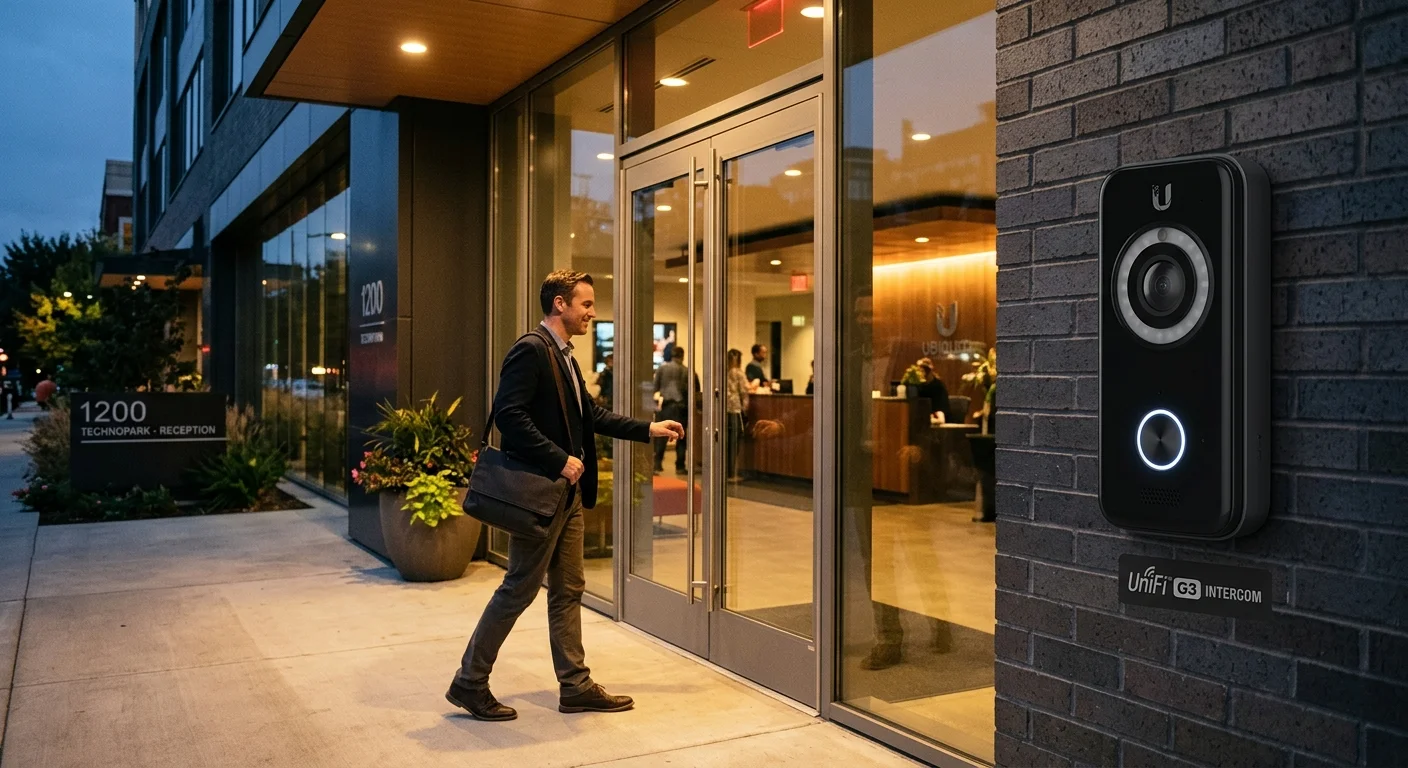
UniFi Intercom commercial deployment provides video verification, two-way communication, and remote door release at Texas commercial building entries without a dedicated guard station. A visitor presses the intercom, the facility manager or receptionist receives a video call with two-way audio on the UniFi Access mobile app, and releases the door remotely from anywhere in the building or off-site. 2M Technology deploys intercoms at Texas commercial lobby entries, loading dock doors, and secondary building access points where unescorted visitor access requires visual verification.

Quick Reference — UniFi G3 Intercom (UA-G3-Intercom)
Intercom commercial deployment — available through 2M Technology
| Video | 2K (1440p), 130-degree wide-angle FoV |
|---|---|
| Audio | Two-way audio with digital noise cancellation |
| AI Detection | Person detection with mobile notification |
| Door Release | Integrated relay — direct lock control |
| PoE Requirement | 802.3af |
| IP Rating | IP55 weatherproof |
1. What is UniFi Intercom?
The UniFi G3 Intercom (UA-Intercom) is a 2K (1440p) video intercom with 130-degree wide-angle view, two-way audio, AI-based person detection, and an integrated door release relay. UniFi Intercom commercial deployment connects directly to a UniFi Access Hub, enabling remote door unlock via the UniFi Access mobile app with real-time video of the visitor. Person detection notifications are sent instantly to designated UniFi Access app users when someone approaches the intercom, even before they press the call button.
UniFi Intercom commercial deployment planning requires deciding who receives visitor calls, from what devices, with what response time SLA — these decisions shape the intercom-to-access control integration configuration.
Unlike traditional wired intercom systems requiring a dedicated indoor station at each reception point, UniFi Intercom calls are routed to the UniFi Access mobile app — any staff member with the app and the correct access role can answer the call and release the door from any location with mobile network coverage. A Texas commercial building with 50 administrative staff can designate all of them as intercom responders, ensuring calls are answered even when the primary receptionist is unavailable.
The 2K sensor with 130-degree FoV captures the full approach area at most commercial lobby entries — wide enough to show both the visitor’s face and immediately adjacent individuals presenting at the same time. The AI person detection with pre-event buffering records footage 10 seconds before the intercom press, providing a clip showing how the visitor approached the building before pressing the button.
2. Commercial Use Cases in Texas
Identifying the right UniFi Intercom commercial deployment scenarios for each Texas facility type ensures the intercom is placed at the correct access points with the right response workflow configured.
Texas Commercial Office Building Lobby
The primary UniFi Intercom deployment scenario at Texas commercial buildings is the main lobby entry — replacing the traditional guard station or unstaffed entry with a video intercom that rings all designated responders simultaneously. Texas office buildings with two-person reception teams use the app to answer from conference rooms or break areas when they step away from the desk.
Texas Loading Dock and Service Entry
Loading dock entries at Texas commercial and industrial facilities deploy the intercom for delivery verification. Drivers press the intercom, warehouse staff answer from the dock or office with live video of the delivery vehicle and driver, and release the dock entry door remotely after verifying the delivery matches the purchase order. The intercom call history and video clip serves as a delivery audit trail.
Texas Multi-Tenant Residential and Mixed-Use
Texas mixed-use buildings with ground-floor retail and upper-floor office tenants deploy intercoms at the residential or office lobby entry separate from retail access. Tenants receive intercom calls directly on their designated app devices — the building system rings the specific tenant associated with the unit or suite the visitor requests.
3. Technical Specifications
UniFi Intercom commercial deployment technical specifications from Ubiquiti’s published G3 Intercom datasheet, as deployed by 2M Technology at Texas commercial entries.
| Specification | Value | Commercial Note |
|---|---|---|
| Video | 2K (1440p), 30fps | Captures face and approach detail at standard lobby distance |
| Field of View | 130-degree wide-angle | Covers full entry approach including side angles without blind spots |
| Audio | Two-way audio with digital noise cancellation | Noise cancellation reduces Texas outdoor wind and traffic noise |
| Person Detection | AI-based, on-device processing | Notifies designated UniFi Access users when a person approaches |
| Night Vision | IR illumination for low-light entry coverage | Captures clear video at night without external lighting requirement |
| Door Release | Integrated relay, 1A/30VDC dry contact | Direct lock control without separate Access Hub relay when configured |
| PoE Requirement | 802.3af (standard PoE) | Standard PoE switch port — no PoE+ required |
| IP Rating | IP55 (jet water resistant) | Suitable for covered outdoor lobby entry in Texas weather |
| Operating Temperature | -20 to +60 degrees C (-4 to +140 F) | Handles Texas summer heat at south-facing lobby entries |
| Management | UniFi Access application — same console as Access Hub and readers | Intercom calls received and door release triggered from UniFi Access app |
4. Deployment Requirements
UniFi Intercom commercial deployment installation at Texas commercial entries requires surface mount position selection, cable routing, and lock wiring in addition to network infrastructure.
| Requirement | Specification |
|---|---|
| Mounting Height | 1.4-1.6m (55-63 inches) above finished floor for optimal face capture angle |
| Mounting Position | Wall surface adjacent to door entry; avoid positions with backlight from windows behind visitors |
| Cabling | Cat5e or Cat6 from PoE switch to intercom; max 100m copper run |
| Lock Wiring | 18-22 AWG 2-conductor from intercom relay or adjacent Access Hub to lock hardware |
| Lock Power | External 12VDC or 24VDC power supply if intercom relay powers lock directly; verify lock type before specifying |
| Lighting | Ambient light supplement may be needed at night for color video quality; IR illuminator active for darkness |
| Network | Same network segment as UniFi Access Host (UDM-Pro or Cloud Key) for automatic adoption |
5. UniFi Ecosystem Integration
UniFi Intercom commercial deployment integrates with UniFi Protect for video recording, UniFi Access for door release, and the Access app for mobile response — 2M Technology configures all three during commissioning.
The G3 Intercom integrates with UniFi Access for credential-based door release and with UniFi Protect for video recording. Intercom video streams are recorded by the nearest UniFi Protect NVR as a camera channel — providing a searchable, retained video record of all intercom events alongside the camera footage from the same entry. 2M Technology configures the intercom as a Protect camera during commissioning, allocating appropriate storage retention.
For Texas commercial deployments using the Access Hub, the intercom call system and the door access control system share the same UniFi Access app interface. A reception staff member manages both scheduled door access (via Access Hub readers) and unscheduled visitor intercoms from a single app without switching between platforms — a workflow that reduces operational friction at Texas commercial lobby operations.
6. UniFi Intercom vs Commercial Video Intercom Alternatives
Comparing UniFi Intercom commercial deployment against traditional wired intercom systems and SIP-based video intercoms shows where the unified management advantage impacts total installation and operational cost.
| Feature | UniFi (2M Technology) | 2N IP Verso (SIP) | Axis A8105-E |
|---|---|---|---|
| Video Resolution | 2K (1440p) | 2MP (1080p) | 2MP (1080p) |
| Door Release | Integrated relay | Via SIP server or PACS | Via Axis Companion or PACS |
| Mobile App | UniFi Access app (iOS/Android) | 2N Mobile Video app | Axis Companion app |
| Management | UniFi Access — unified platform | 2N Access Commander (licensed) | Axis Camera Station (licensed) |
| Camera Recording | UniFi Protect (included with NVR) | Separate IP camera or NVR | Axis Camera Station (licensed) |
| PoE Requirement | 802.3af (standard) | 802.3af | 802.3af |
| License Cost | None — included | 2N Access Commander license | Axis license required |
7. Common UniFi Intercom Commercial Deployment Mistakes
Placing Intercom in Direct Sunlight
Texas south and west-facing building entries experience direct afternoon sun exposure that creates severe backlight behind approaching visitors — the camera exposes for the bright sky and renders the visitor’s face as a dark silhouette. 2M Technology positions intercoms in shaded alcoves or specifies a shade hood accessory for Texas south-facing entries where natural light direction is unavoidable.
Not Configuring Person Detection Notifications
Without person detection notifications configured, the intercom only alerts staff when the visitor presses the call button — missing the 30-60 second window when a person is approaching but has not yet pressed. 2M Technology configures person detection notifications to go to the same app users as intercom call notifications, giving Texas reception staff advance awareness of approaching visitors before the call button is pressed.
Inadequate Lock Power Supply
The intercom relay switches a dry contact — it does not supply power to the lock. Connecting a 12V electric strike without an external power supply results in no lock actuation. 2M Technology specifies and installs the correct lock voltage, external power supply, and relay wiring for every Texas intercom installation, including fail-secure vs fail-safe lock selection appropriate for the fire code requirements of the entry.
8. Frequently Asked Questions
UniFi Intercom commercial deployment questions from Texas building managers, security integrators, and IT directors — answered with specific operational details.
How does a visitor call work with UniFi Intercom?
When a visitor presses the intercom call button, the UniFi Access app on all designated responders’ devices rings simultaneously with a video call showing live 2K video of the visitor. Any responder can answer, have two-way audio conversation with the visitor, and press the door release button in the app to unlock the door — all without being physically present at reception. Call history, video clips, and door release records are logged in UniFi Access.
Can multiple staff members receive intercom calls?
Yes. UniFi Access allows any number of app users to be designated as intercom call recipients. When the intercom rings, all designated users are notified simultaneously — the first to answer handles the visitor interaction. For Texas commercial buildings with rotating reception coverage, 2M Technology typically assigns all administrative and front-desk staff as intercom responders to ensure calls are answered within 15-30 seconds during business hours.
Does the UniFi Intercom record video continuously?
Yes, when connected to a UniFi Protect NVR (UNVR, UNVR Pro, or Enterprise NVR), the intercom camera records continuously like any other Protect camera. Motion and person detection events are flagged in the Protect timeline for rapid review. The intercom occupies one camera slot on the NVR. 2M Technology allocates NVR storage for the intercom camera alongside all other cameras in the Texas facility’s storage plan.
Can the intercom release the door without a guard answering the call?
Yes. UniFi Access supports scheduled auto-release — the intercom door can be configured to auto-unlock during specific hours (e.g., 8am-6pm on weekdays) for unmonitored lobby access during business hours, switching to call-only after hours. Scheduled auto-unlock is combined with person detection recording so all entries are documented even without live monitoring.
Is the UniFi Intercom compatible with existing wired intercom stations?
No. The G3 Intercom is a network-based device that routes calls through the UniFi Access app, not through traditional wired intercom stations. Existing wired intercom handsets are incompatible. Texas commercial facilities replacing wired intercom systems with UniFi Intercom will decommission existing handsets and use the mobile app on staff devices instead. For facilities requiring a physical desk station, 2M Technology evaluates SIP phone integration as an alternative receiving device.
Related Deployment Guides — Plan the Full System
Install UniFi Intercom at Your Texas Facility
- Texas Private Security License B15309
- (214) 988-4302
- sales@2mtechnology.net


